11. Case 08: Automatic Sunlight Detecting Curtain
Level: 
11.1. Goal
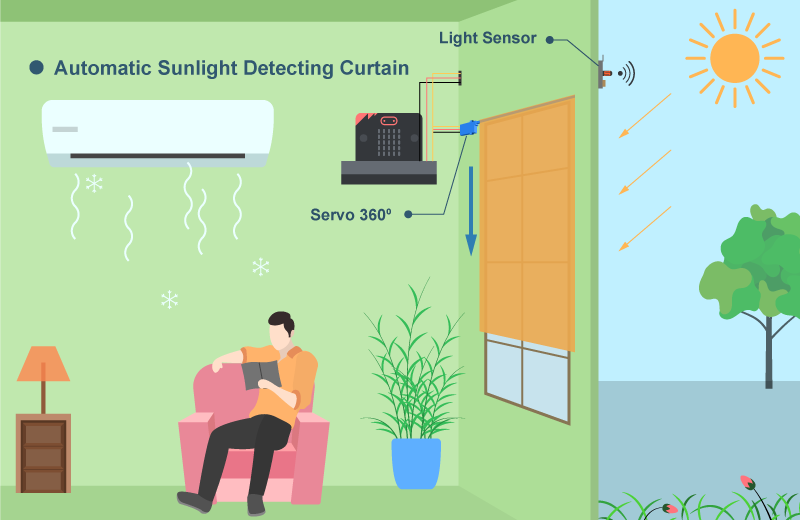
Make a smart curtain that operates automatically by detecting the sunlight around the house to save energy.
11.2. Background
What is Automatic Sunlight Detecting Curtain
Automatic Sunlight Detecting Curtain is a curtain that scrolls up or down automatically according to the detection of sunlight.
Automatic Sunlight Detecting Curtain Principle
The light sensor is installed outside of the house. When it detects strong light (Light > 70), it indicates that there is sunlight that can reach the house. The curtain in this case should scroll down to prevent heat energy transfer into the house. It can reduce energy loss and can save the energy of air conditioner.
11.3. Key knowledge
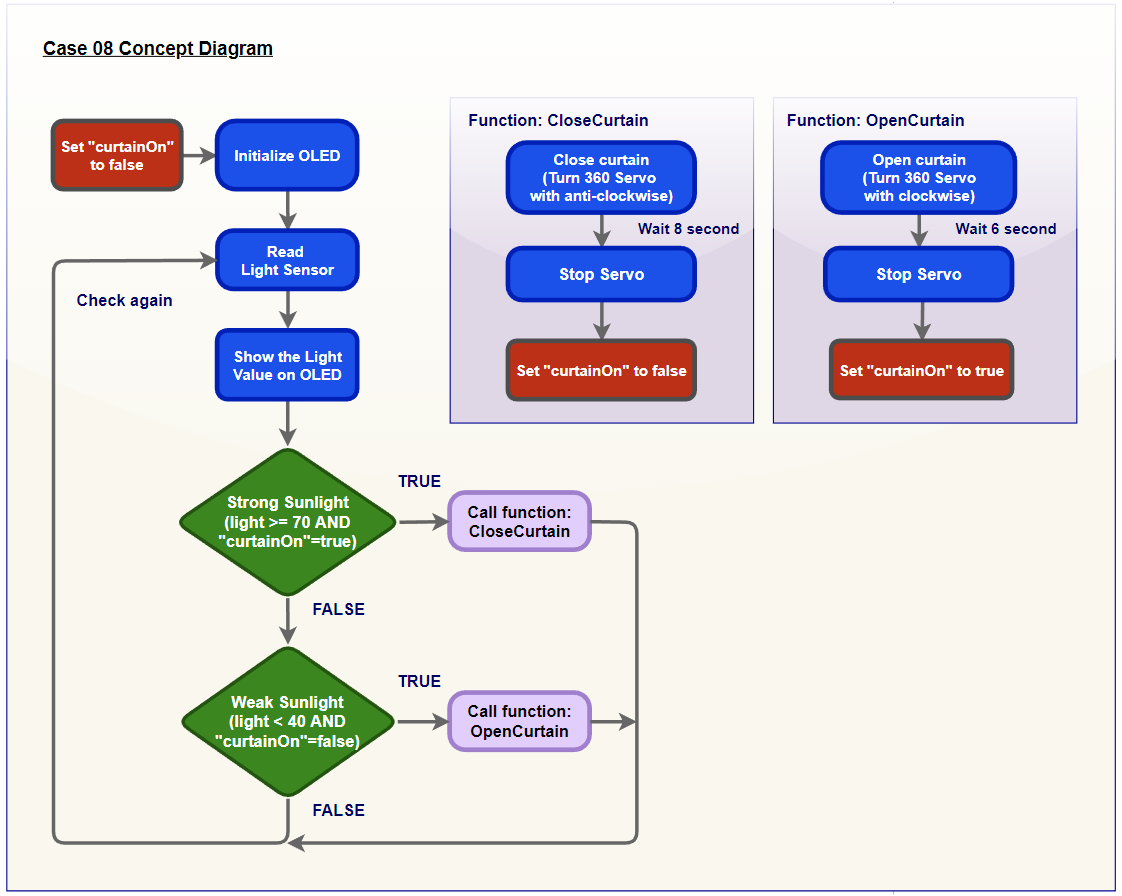
In programming part, there is a “flag” concept to be used in this case. It can check whether the curtain is pulled down or not and prevent from keeping pull down the curtain.
11.5. Assembly step
Step 1
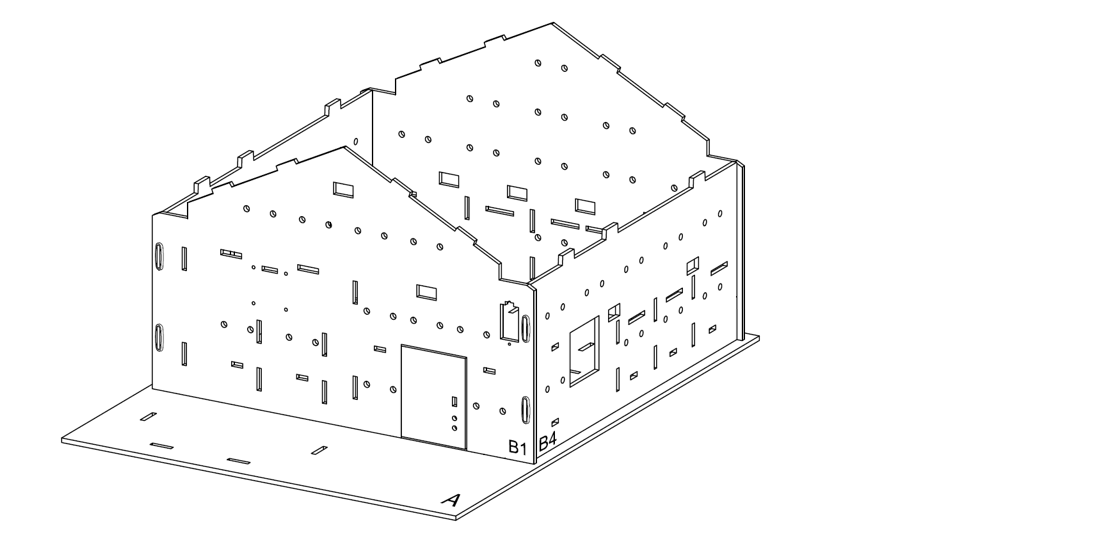
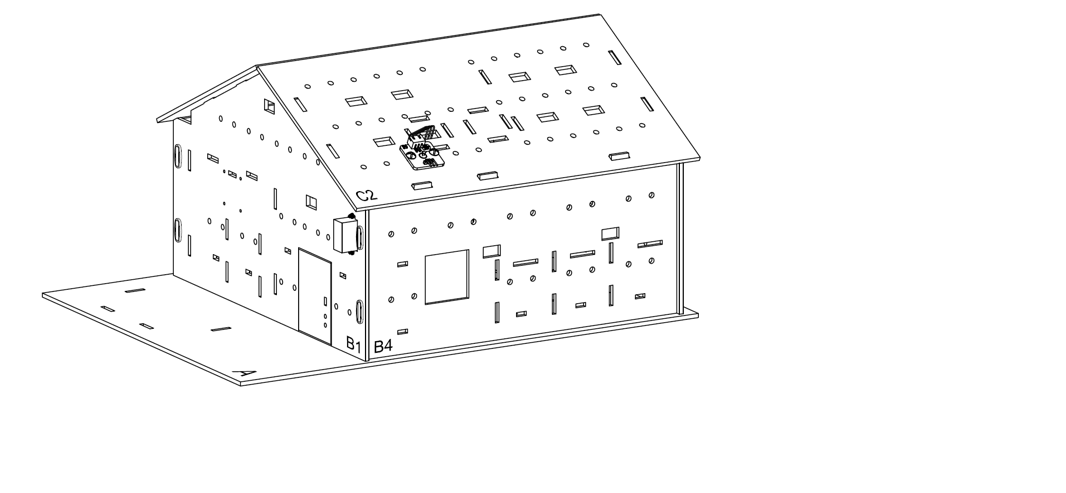
In this case, build the “Big Style Model” as a home base.
Step 2
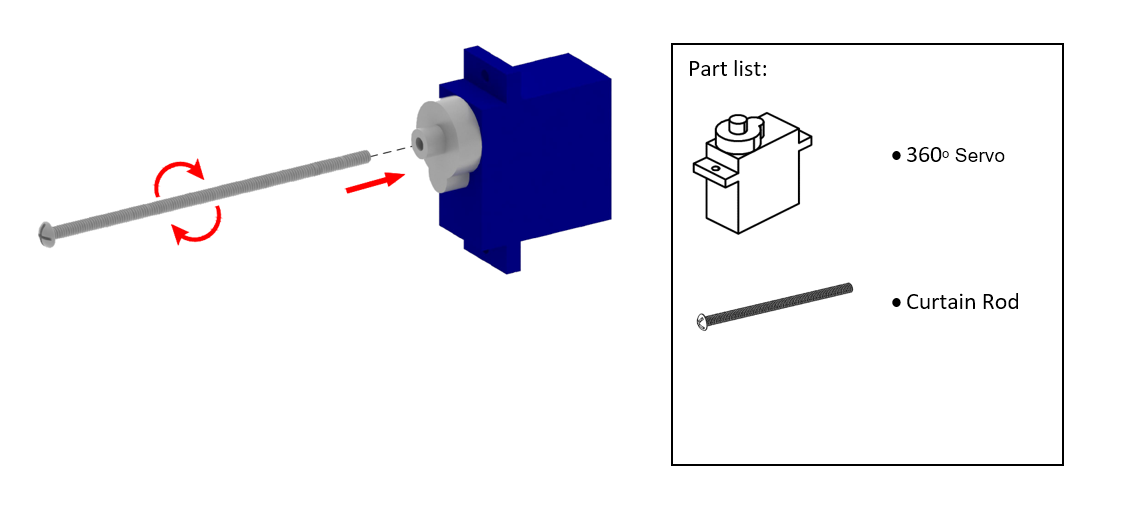
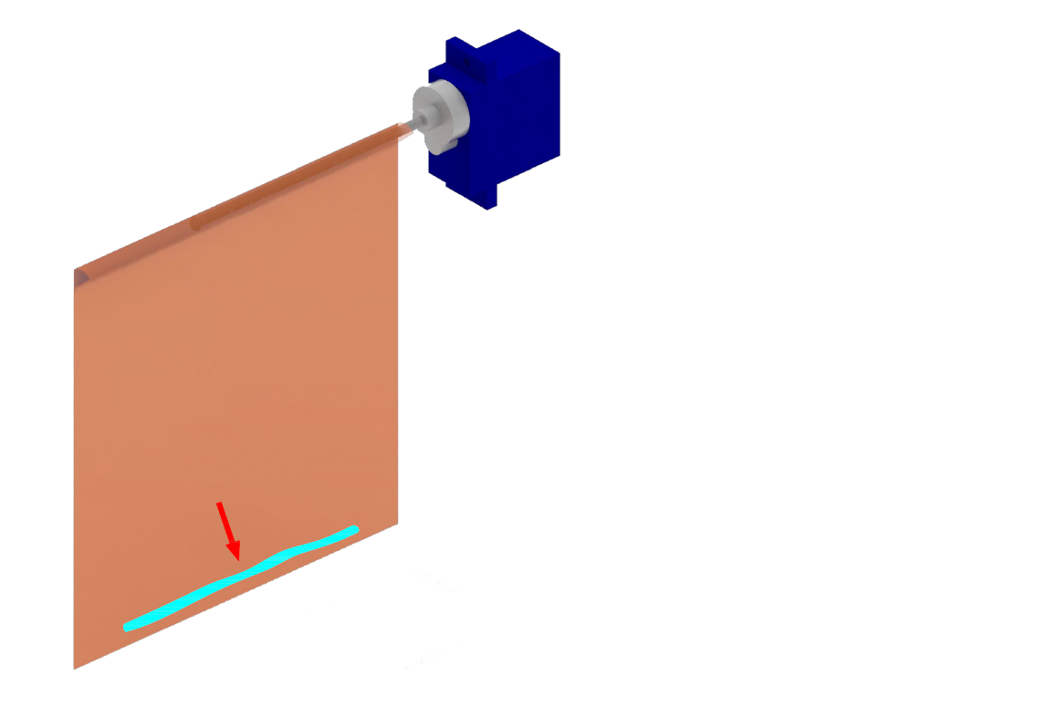
To make a curtain. Attach the curtain rod to 360ᵒ servo by using the screwdriver to assist.
Step 3
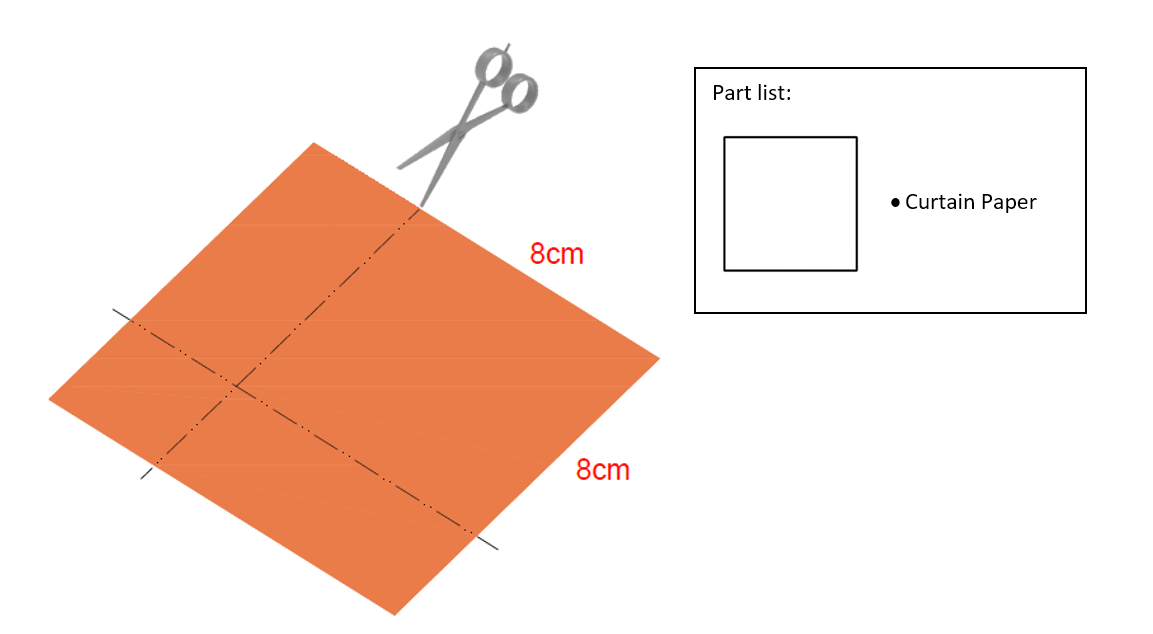
Cut the curtain paper into a 8cm*8cm square.
Step 4
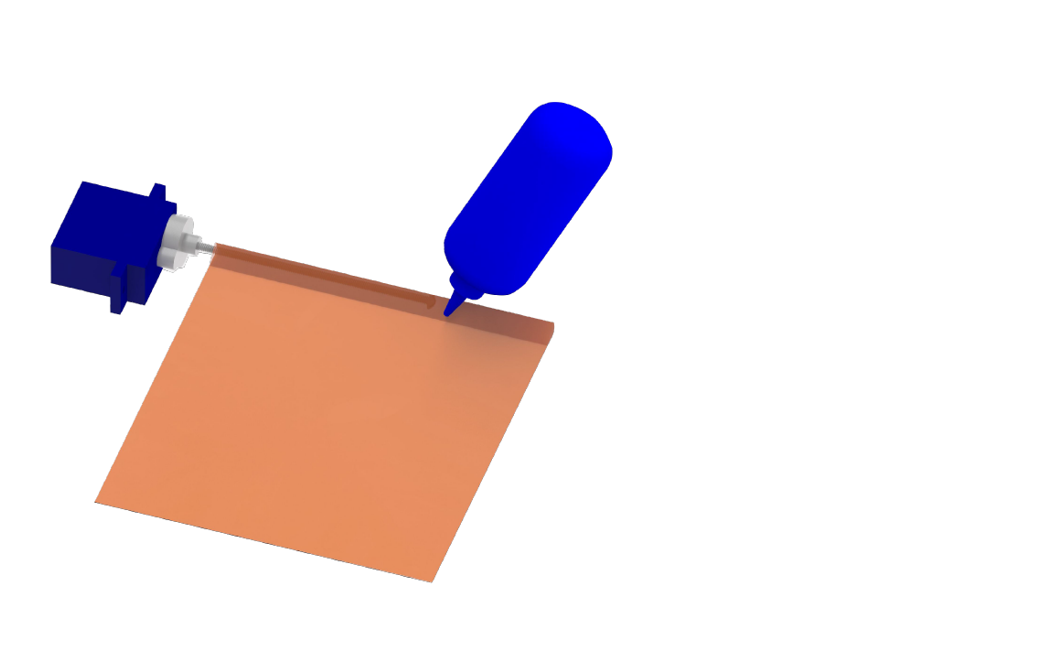
Stick the cutted paper on the curtain rod by glue.
Step 5
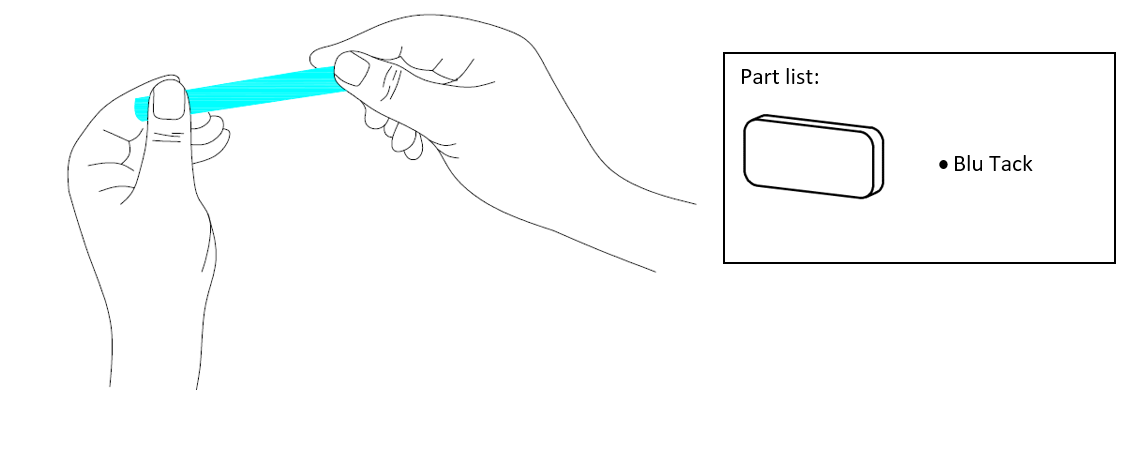
Shape the blu tack into a recteangle by hand.
Step 6
Stick the shaped blu tack at the bottom of the paper curtain.
Step 7
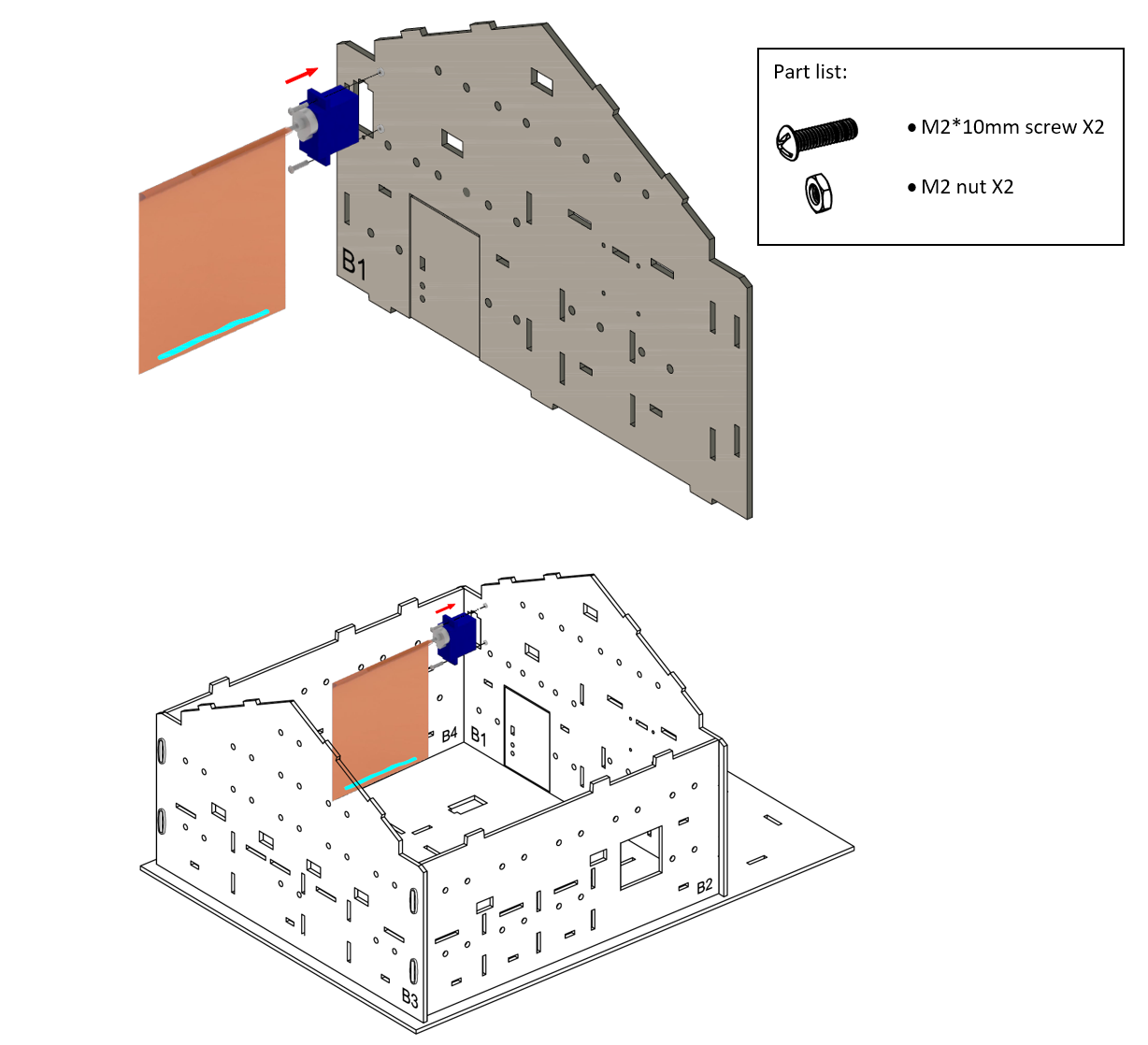
Attach the completed curtain (servo) onto Model B1 using M2 * 10mm screws and nuts.
Step 8
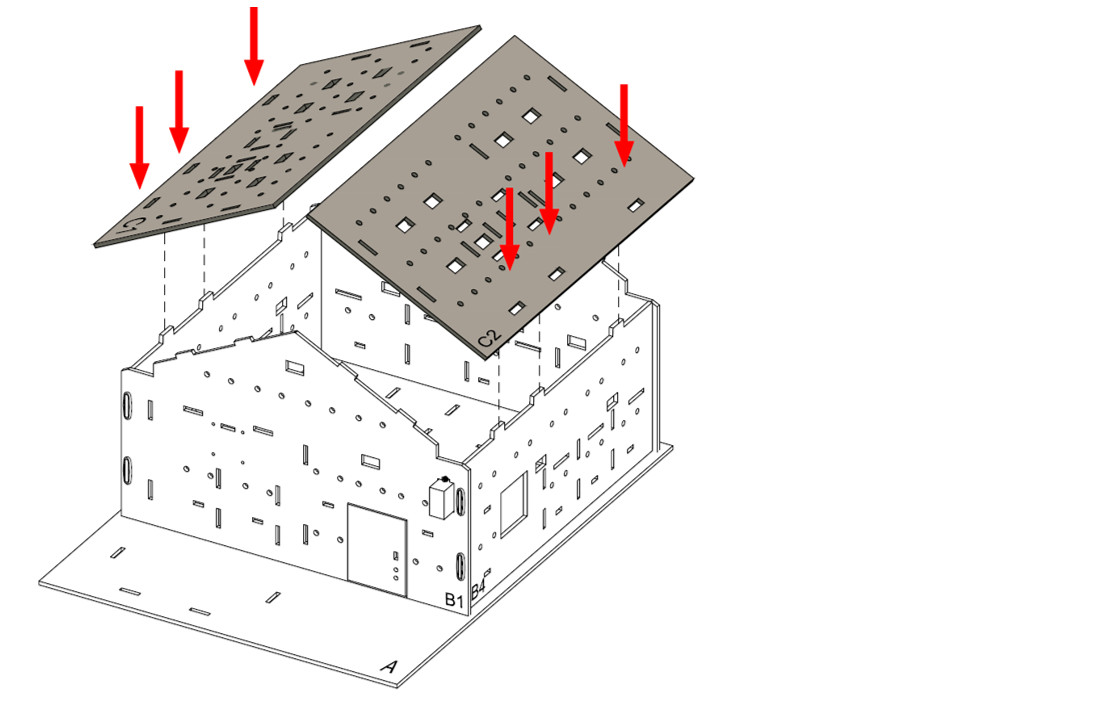
Close the house by model C1 and C2.
Step 9
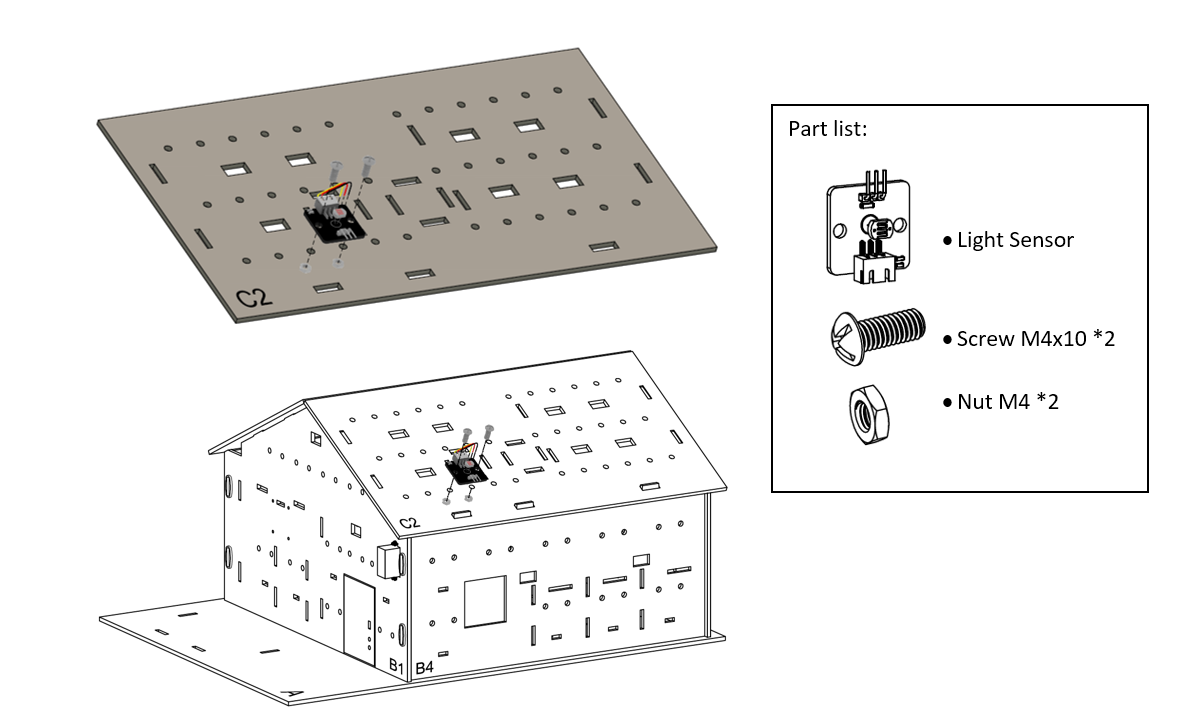
Attach the light sensor onto model C2 using M4 * 10mm screws and nuts.
Step 10
Assembly Completed!
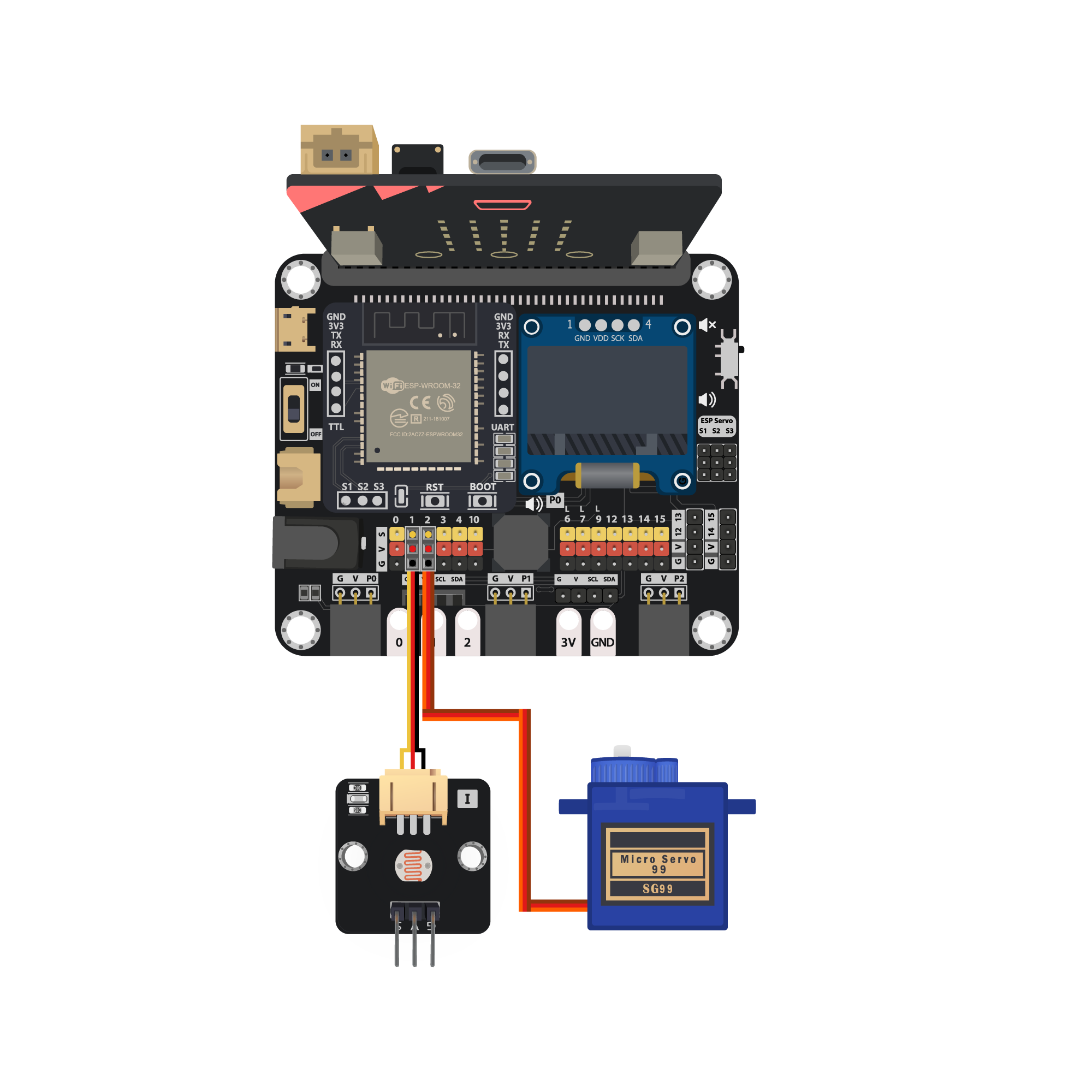
11.7. Programming (MakeCode)
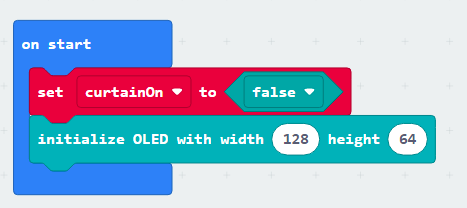
Step 1. Initialize OLED and create the variable
On start, initialize the OLED display by
initialize OLED with width 128 height 64Create the
curtainOnvariable and set it tofalse
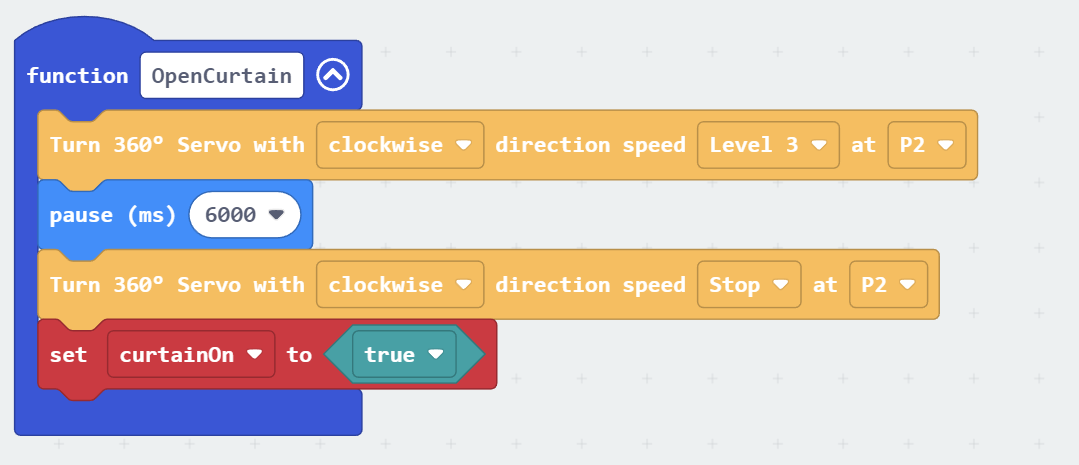
Step 2. Create curtain control function “openCurtain”
Create function
openCurtainInside the function, control the speed and direction of the 360 degree servo at connected pins, such as
Turn 360 Servo with clockwise direction speed level 3 at P2Add pause to wait it rotate for few second (depend on your model setup)
Stop the 360 servo with same method, such as
Turn 360 Servo with clockwise direction speed level 0 at P2set the
curtainOnvariable totrue
Step 3. Create curtain control function “closeCurtain”
Create function
closeCurtainInside the function, following the previous function, but in reversed direction and state
control the speed and direction of the 360 degree servo at connected pins, such as
Turn 360 Servo with anti-clockwise direction speed level 3 at P2Add pause to wait it rotate for few second (depend on your model setup)
Stop the 360 servo with same method, such as
Turn 360 Servo with anti-clockwise direction speed level 0 at P2set the
curtainOnvariable tofalse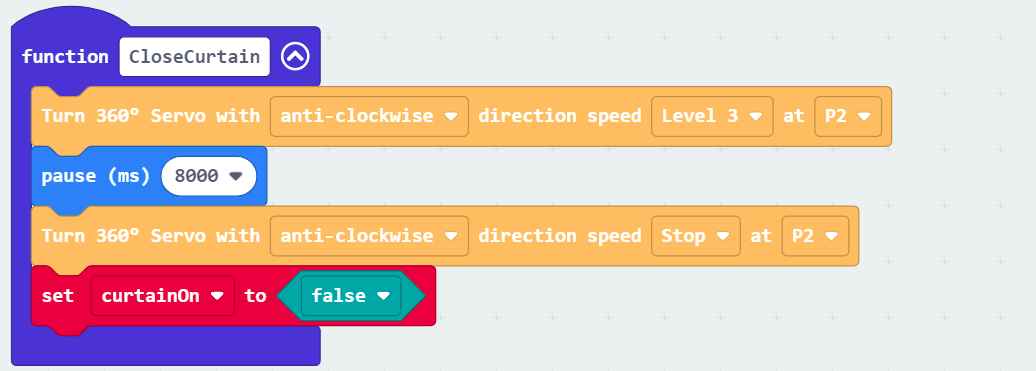
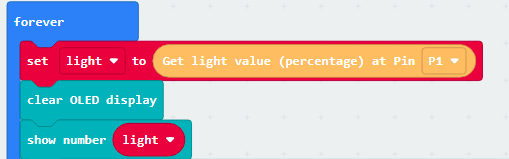
Step 4. Get the light intensity value
In
Forever, reading the value byset light to Get light value (percentage) at Pin P1Clear the OLED display before each update by
clear OLED displayShow the number of value on display by
show number light
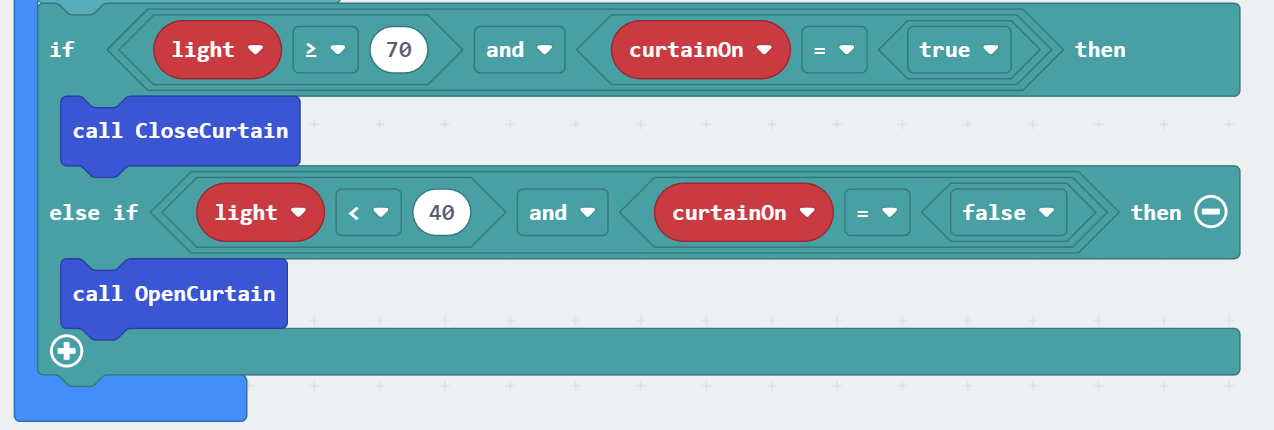
Step 5. Examine the light intensity value and reaction
Snap a nested
if statementtoForeverSet
light2 >= 70andcurtainOn = trueas first conditionIn the
ifsegment, that’s means the sunlight is strong, need to close the curtain,call closeCurtainIn the second condition, use
light2 < 40andcurtainOn = falseIn the second
ifsegment, that’s means the sunlight is weak, need to open the curtain,call openCurtain
Full Solution
MakeCode: https://makecode.microbit.org/S95086-18856-18470-99242
You could also download the program from the following website:
11.8. Result
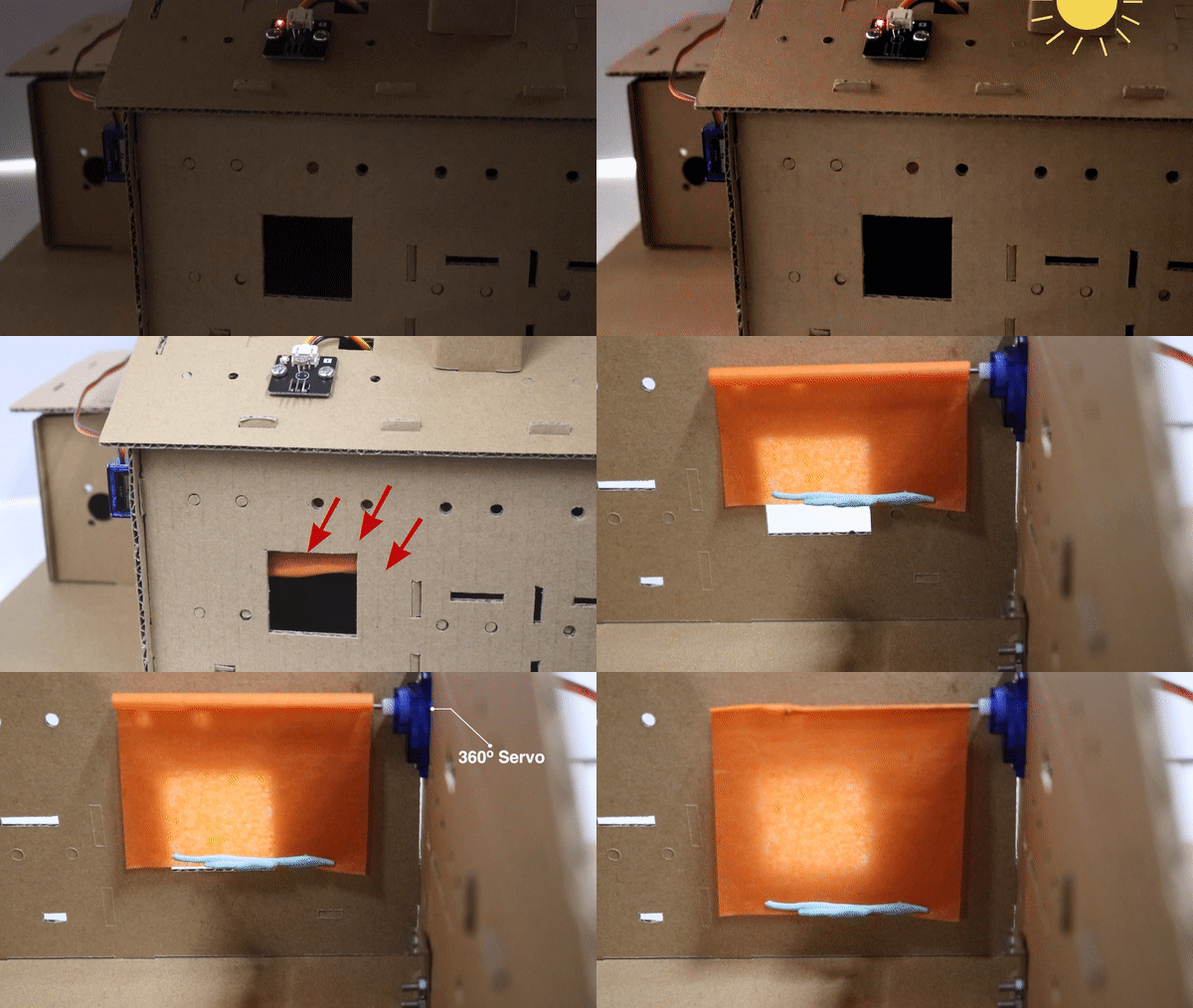
When the light sensor detects the light value outside the house is strong, the servo will rotate to scroll down the curtain. When the light is not strong, the servo will rotate in anti direction to scroll up the curtain
11.9. Think
Q1. Apart from the sunlight value, any other condition can be used to determine the curtain state?