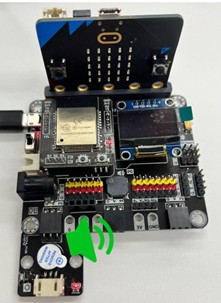
22. Mono-Tone Buzzer/Musical Buzzer
(Active/Passive Buzzer)
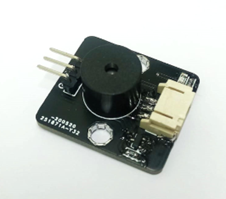
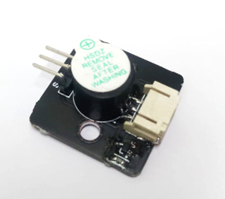
22.1. Introduction
The two buzzers use the reverse piezoelectric effect to make a piezoelectric plate vibrate and generate sound. The mono-tone buzzer can be used straightforwardly via DC voltage while the musical buzzer cannot.
22.2. The principle
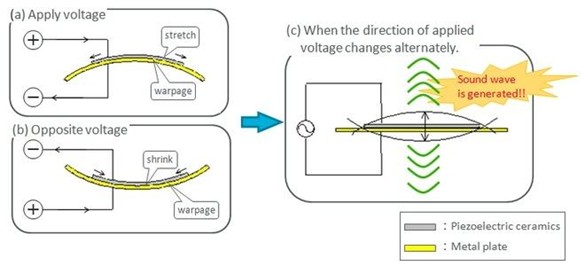
The piezoelectric effect refers to the process of producing an electric current when piezoelectric materials are deformed by external force. Conversely, an electric current going through piezoelectric materials causes the materials deformed, which is called reverse piezoelectric effect.
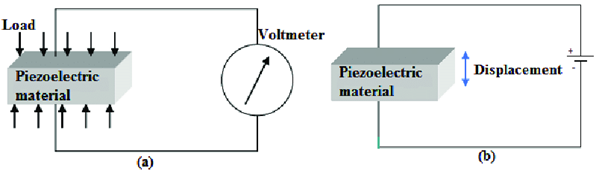
A buzzer consists of a piezoelectric ceramic disc and a metal plate. When an alternating current is applied to the piezoelectric disc, it alternately stretches and shrinks due to the reverse piezoelectric effect. The disc repeatedly bend in both directions like a vibration, generating sound waves.
Musical buzzer
Musical buzzer is a passive buzzer that has no internal oscillator circuit. This means that it cannot be used directly via DC voltage, as the DC supply will only make the piezoelectric ceramic disc bend once. Instead, it requires an external oscillating signal (typically from a microcontroller or other signal source) to produce sound. By controlling the input signal, the tone or pitch of the produced sound can be customized.
Mono-tone buzzer
Mono-tone buzzer is an active buzzer that has a built-in oscillator converting constant direct current into alternating current. This allows the buzzer to continue sounding with only a DC voltage supply. when a DC voltage is applied to it. However, it also limits the produced sound to a particular frequency (pitch).
22.3. Specification
Musical buzzer
Rated Voltage: 5V
Resonant Frequency: 2730Hz
Min Sound Output: 85 dB
Operating Temperature: -20~+70
Storage Temperature: -30~+80
Mono-tone buzzer
Rated Voltage: 5V
Rated Frequency: 3000Hz
Min Sound Output: 85 dB
Operating Temperature: -40~+85
22.4. Pinout Diagram
| Pin | Function |
|---|---|
| G | Ground |
| V | Voltage Supply |
| S | Signal Input (Digital/Analog) |
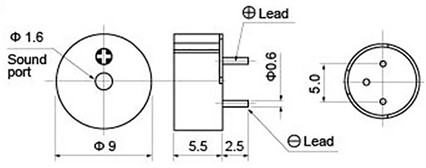
22.5. Outlook and Dimension
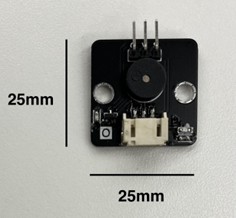
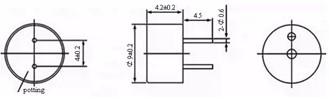
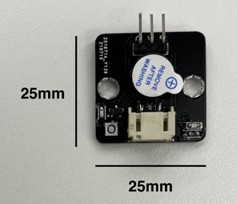
22.6. Quick to Start/Sample
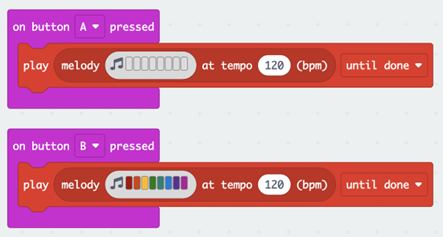
Musical buzzer
Connect the Musical Buzzer to the development board (direct plugin or using wire)
Open Makecode
Set different buttons to turn play / stop playing melody.
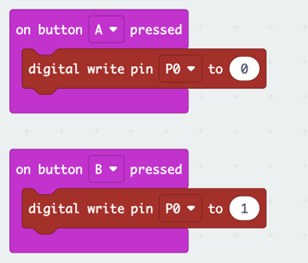
Mono-tone
Connect the Mono-tone Buzzer to the development board (direct plugin or using wire)
Open Makecode
Set different buttons to turn on/off the Mono-tone Buzzer
22.7. Result
Musical buzzer
Press A button to turn off the Musical Buzzer (stop play melody)
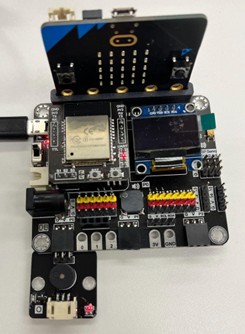
Press B button to turn on the Musical Buzzer (play a melody)
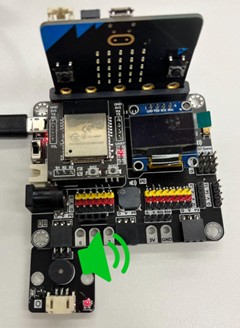
Mono-tone buzzer
Press A button the turn off the Mono-tone Buzzer (set to digital 0)
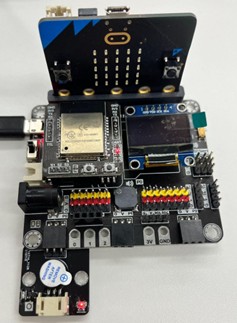
Press B button the turn on the Mono-tone Buzzer (set to digital 1)