9. Chapter 6: Network Time Protocol
Time synchronization is essential in the digital world, facilitating coordinated activities, accurate event logging, secure transactions, and data consistency. Network Time Protocol (NTP) is a fundamental protocol in computer networking, used to synchronize the clocks of devices over a network.
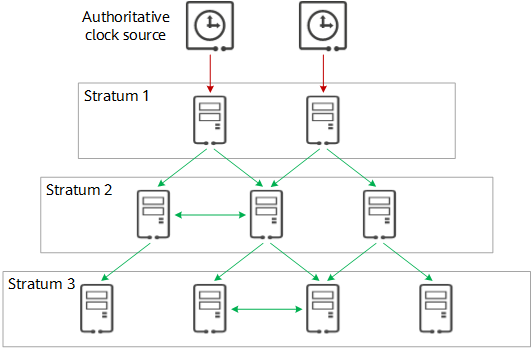
The NTP server receives accurate Coordinated Universal Time (UTC) from an authoritative clock source, such as an atomic clock or GPS. Then, the NTP client requests and receives time from the NTP server. NTP can usually maintain accuracy to within tens of milliseconds. In this chapter, you will learn how to update the date and time in iot:bit via NTP.
9.1. Coding (Makecode)
Goal:
Develop a program to sync the time frequently.
Step 1:Connect WiFi
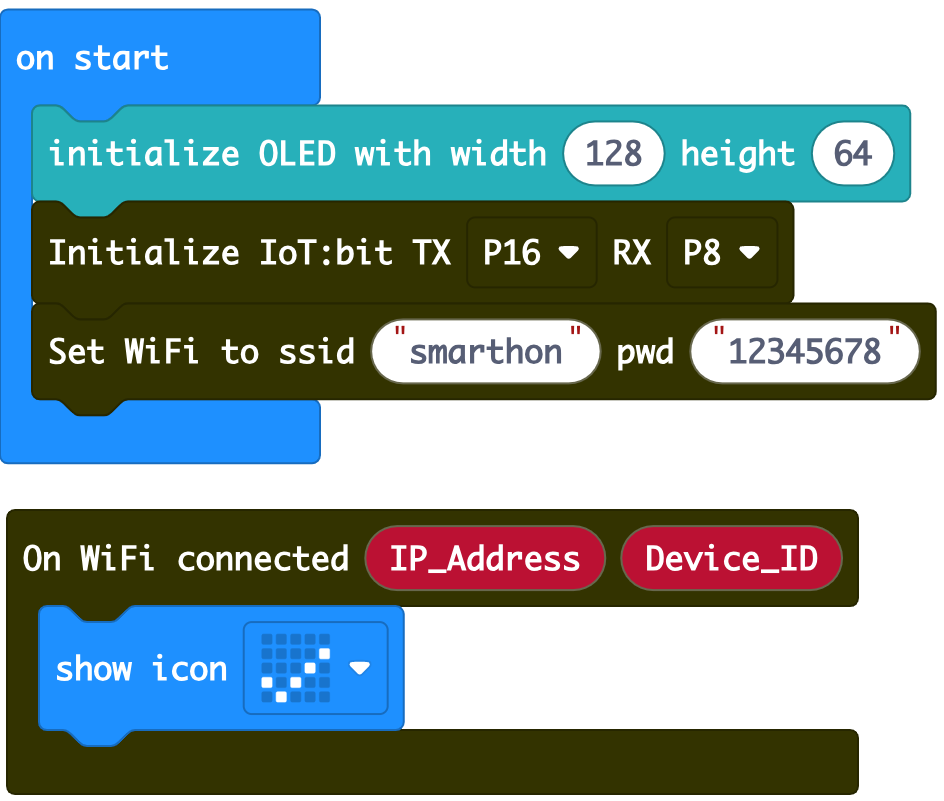
Before we obtain the NTP time, we need to connect to the network. We already know how to connect to the WiFi in the first chapter.
Step 2: Get the NTP time
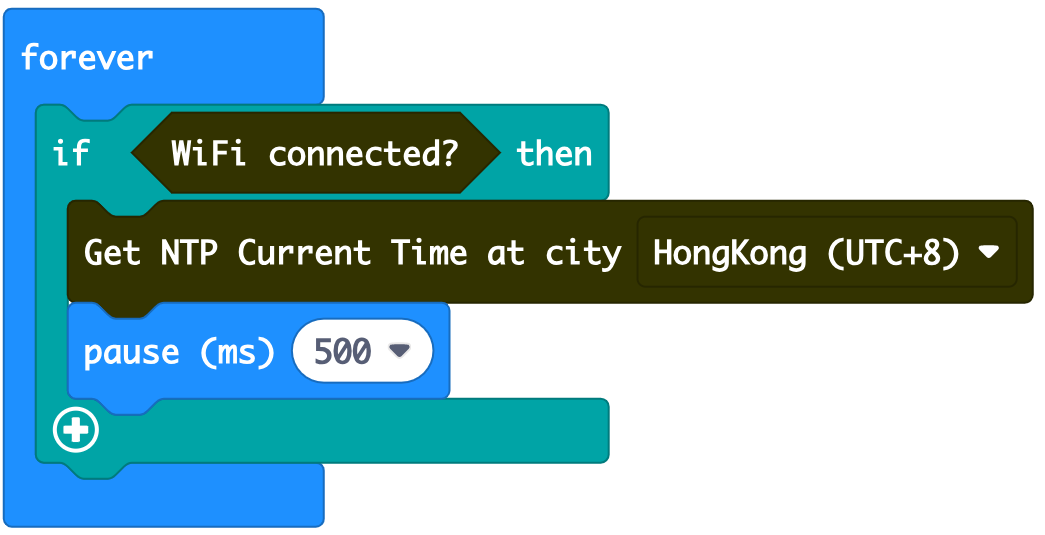
Put a
ifstatement intoforeverUse
WiFi connected?as conditionGo to IoT:bit -> IoT Services and put the
Get NTP Current Time at city HongKong (UTC+8)orGet NTP Current Time at Time Zone UTC +0Choose your time zone
Add a pause
Step 3: Display the date and time on OLED
Go to IoT:bit -> IoT Services and snap the
On NTP receivedClear the display before each update
Display the date in
Day.Month.YearformatInsert a new line
Display the time in
Hour:Minute:Secondformat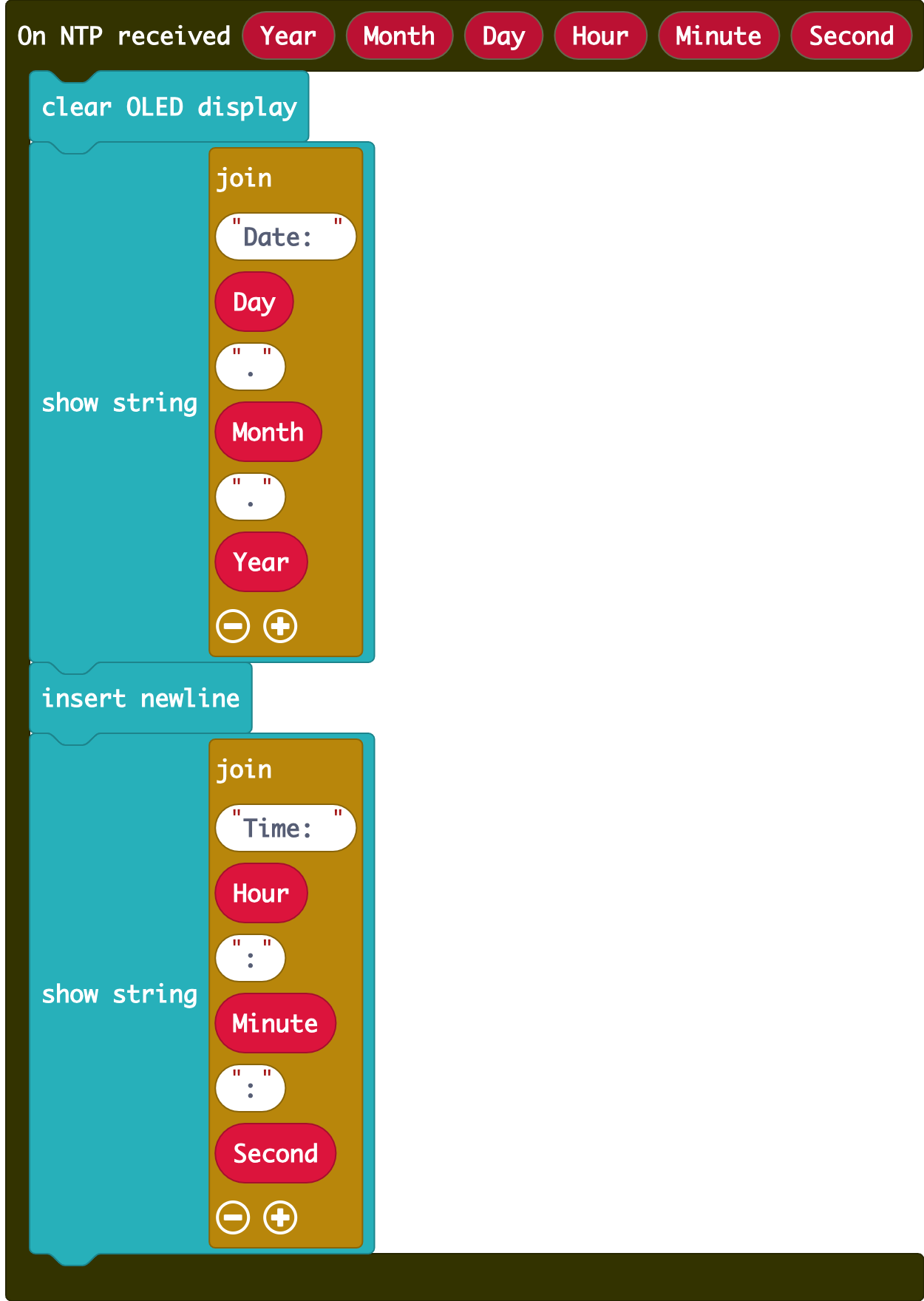
Full Solution
MakeCode: https://makecode.microbit.org/_Rs8Lm1Js9JCL
You could also download the program from the following website:
9.2. Result
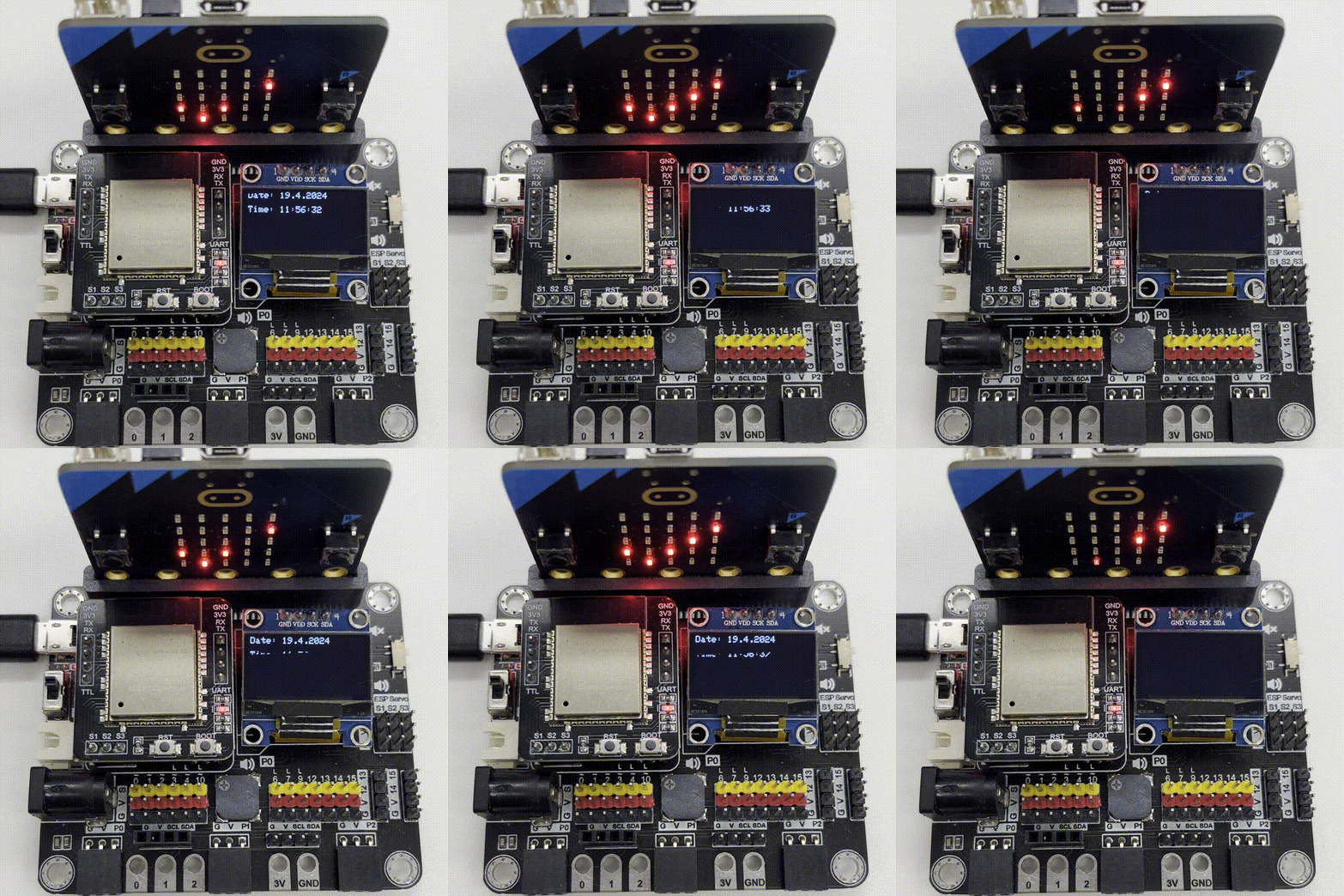
After connecting to WiFi, whenever IoT:bit gets the NTP time, it will display the formatted date and time.