8. Case 05: Car speed monitoring
Level: 
8.2. Background
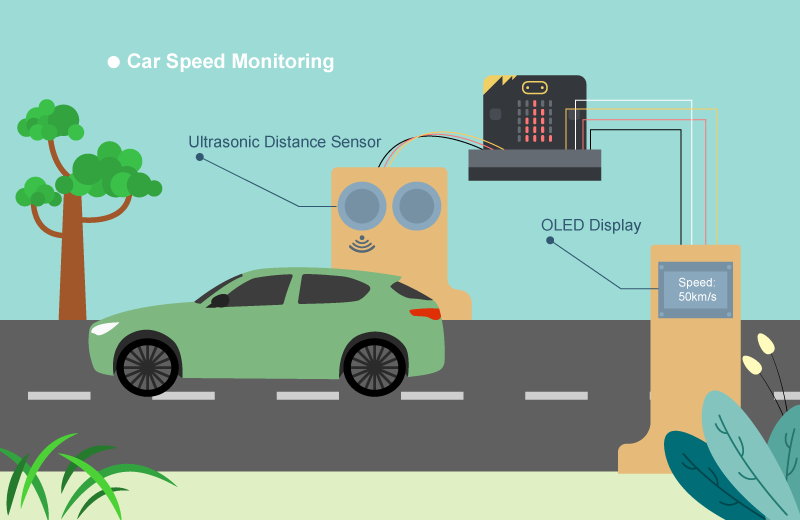
What is car speed monitoring?
It is an automatic system to check car speed on the road at certain time interval. There are cars often over-speed causing traffic accidents, therefore installing a car speed monitoring is a must to minimize the chances of traffic accidents.
Car speed monitor operation
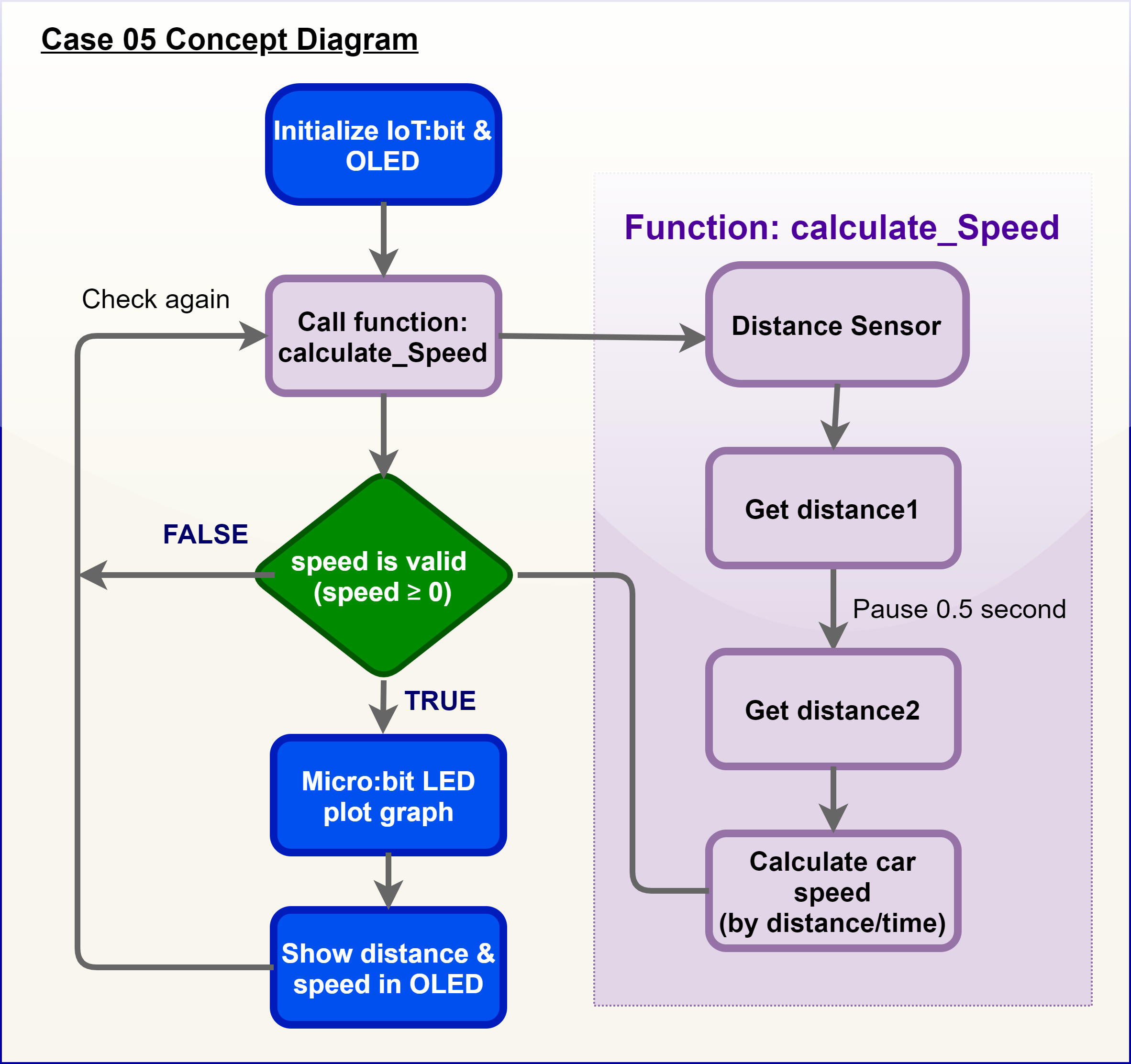
The distance sensor measures two different distances at certain time interval, and therefore car speed can be calculated and shows it on the OLED.
On every 500ms (0.5 second), the distance sensor will keep updating distance between the sensor and the car.
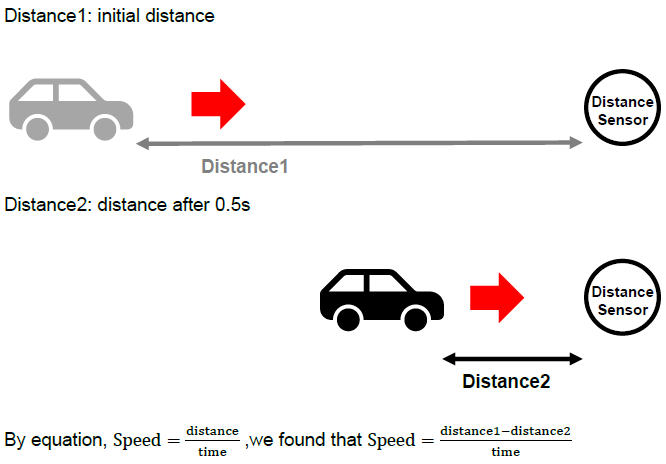
If distance 1 ≥ distance 2, that’s say the car is moving towards. The moving distance is distance1 -distance2. The speed is (distance1-distance2)/0.5 (unit: cm/s)
If distance 1 = distance 2, that’s say the car has stop moving or there are no cars. The moving distance and speed are 0
For car speed < 0, it is the exceptional case (the car turns left/right and leave the road) and the speed will not be shown.
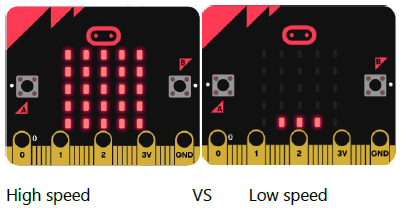
A bar graph on micro:bit LED is shown to indicate the instant speed of the cars.
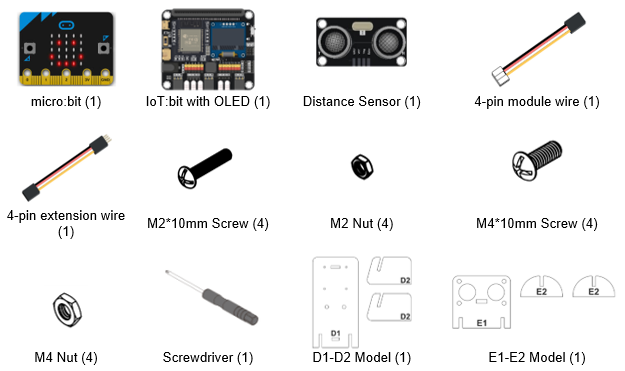
8.4. Assembly step
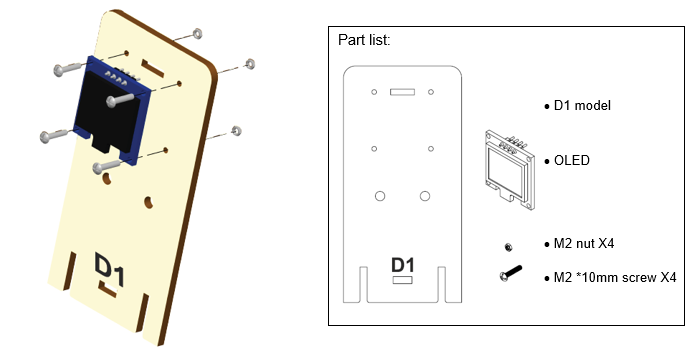
Step 1
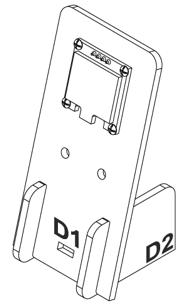
Attach the OLED to D1 model using M2 * 10mm screw and nut.
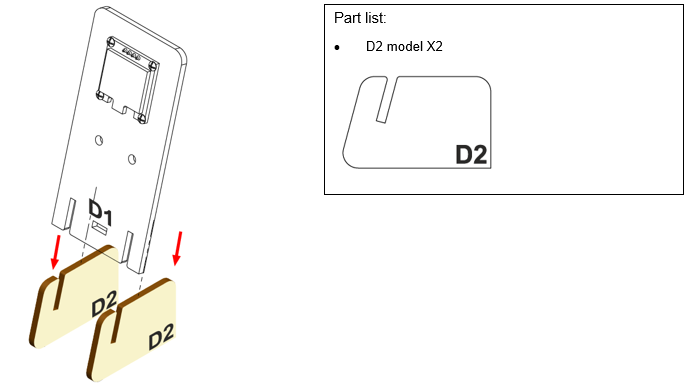
Step 2
Put D2 model onto the D1 model.
Step 3
Assembly completed!
Step 4
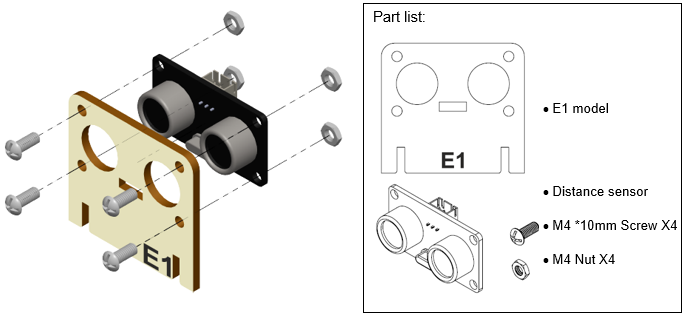
Attach the distance sensor to E1 model using M4 screw and nut.
Step 5
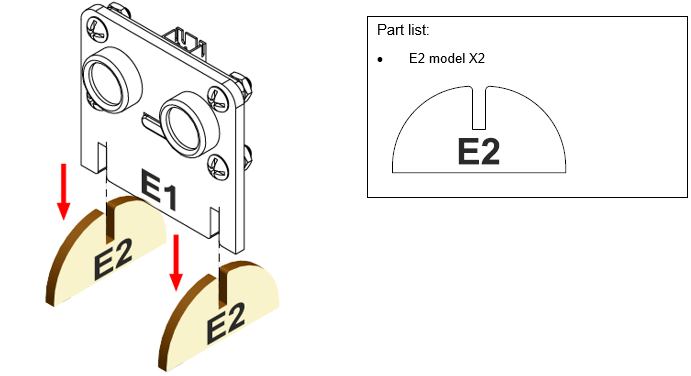
Put the E2 model onto E1 model.
Step 6
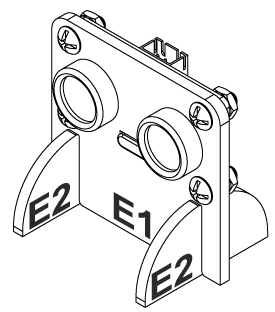
Assembly completed!
8.5. Hardware connect
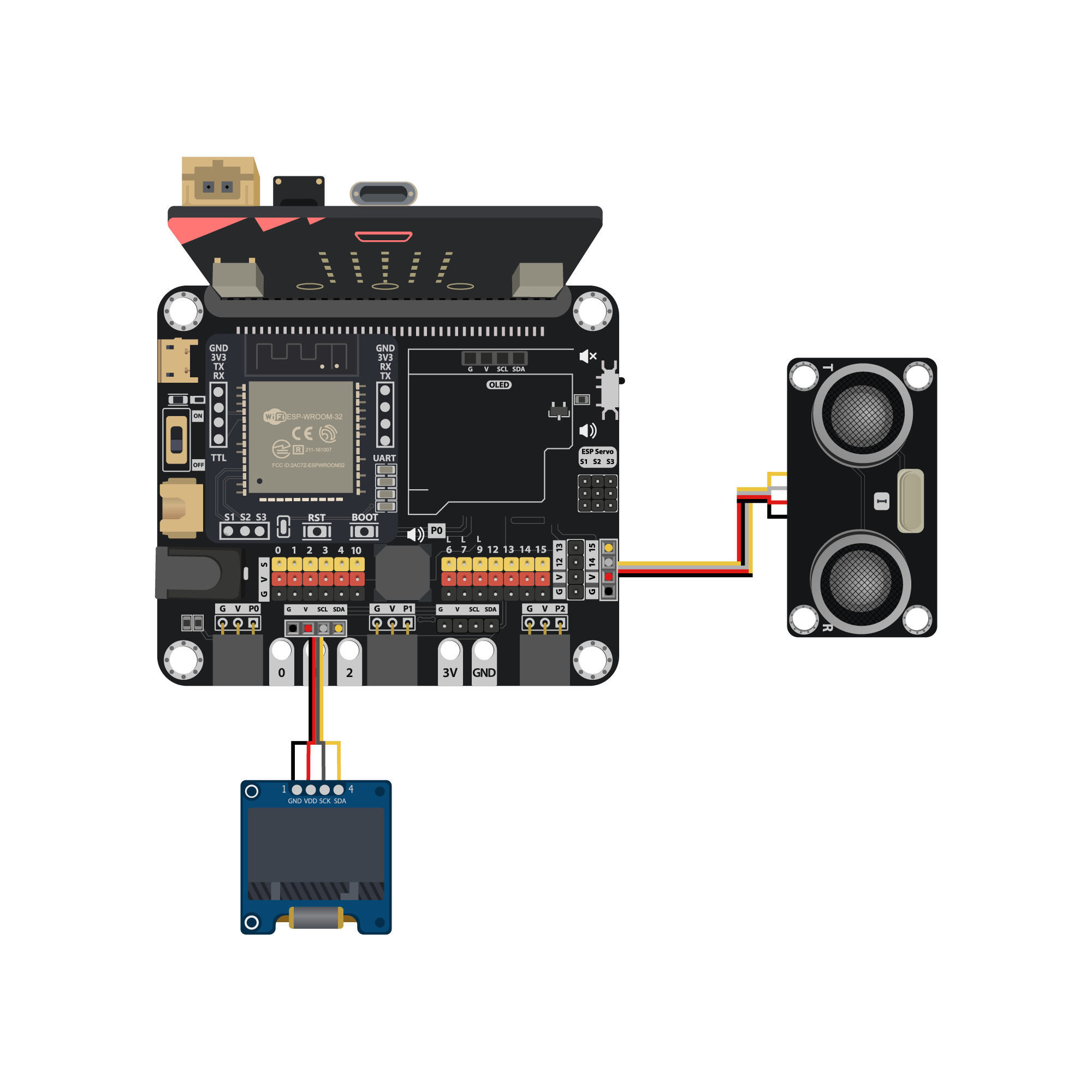
Connect the Distance Sensor to P14 (trig)/ P15 (echo) port of IoT:bit
Extend the connection of OLED to the I2C connection port of IoT:bit
8.6. Programming (MakeCode)
Step 1. Initialize OLED screen
Drag
Initialize OLED with width:128, height: 64toon startSet
distance1,distance2andspeedto 0 fromvariables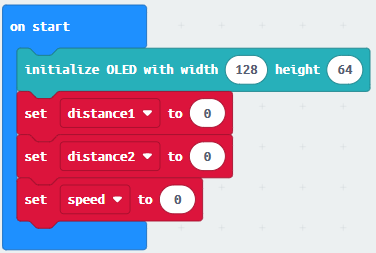
Step 2. Set up function (calculate_Speed)
Set up a new function
calculate_SpeedfromAdvanced>Functions.Set
distance1toget distance unit cm trig P14 echo P15(distance from the car to the distance sensor before 0.5 second) DragPauseto wait 500ms and setdistance2toget distance unit cm trig P14 echo P15(distance from the car to the distance sensor after 0.5 second)By the equation of speed = distance / time. We get the
speedof the moving car to (distance1-distance2)/0.5 (unit: cm/s)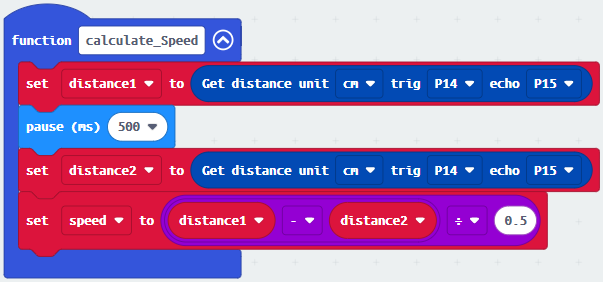
Step 3. Calculate car speed
In block
forever, call functioncalculate_SpeedfromAdvanced>Functionsto get the speed of the moving carSnap
If statementinto the loopIf
speed ≥0, then it willplot bar graph of …fromLedand draw variablespeedinto the plotted value. Set value up to 20Snap
clear OLED displayfromOLEDto avoid overlapSnap
show stringand show value of variablesdistance1,distance2andspeed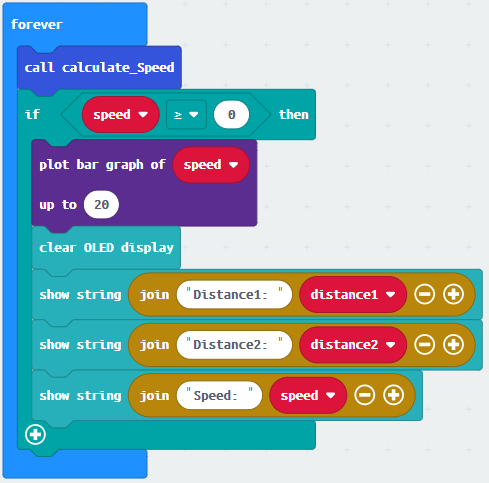
Full Solution
MakeCode: https://makecode.microbit.org/S63378-51064-90381-23413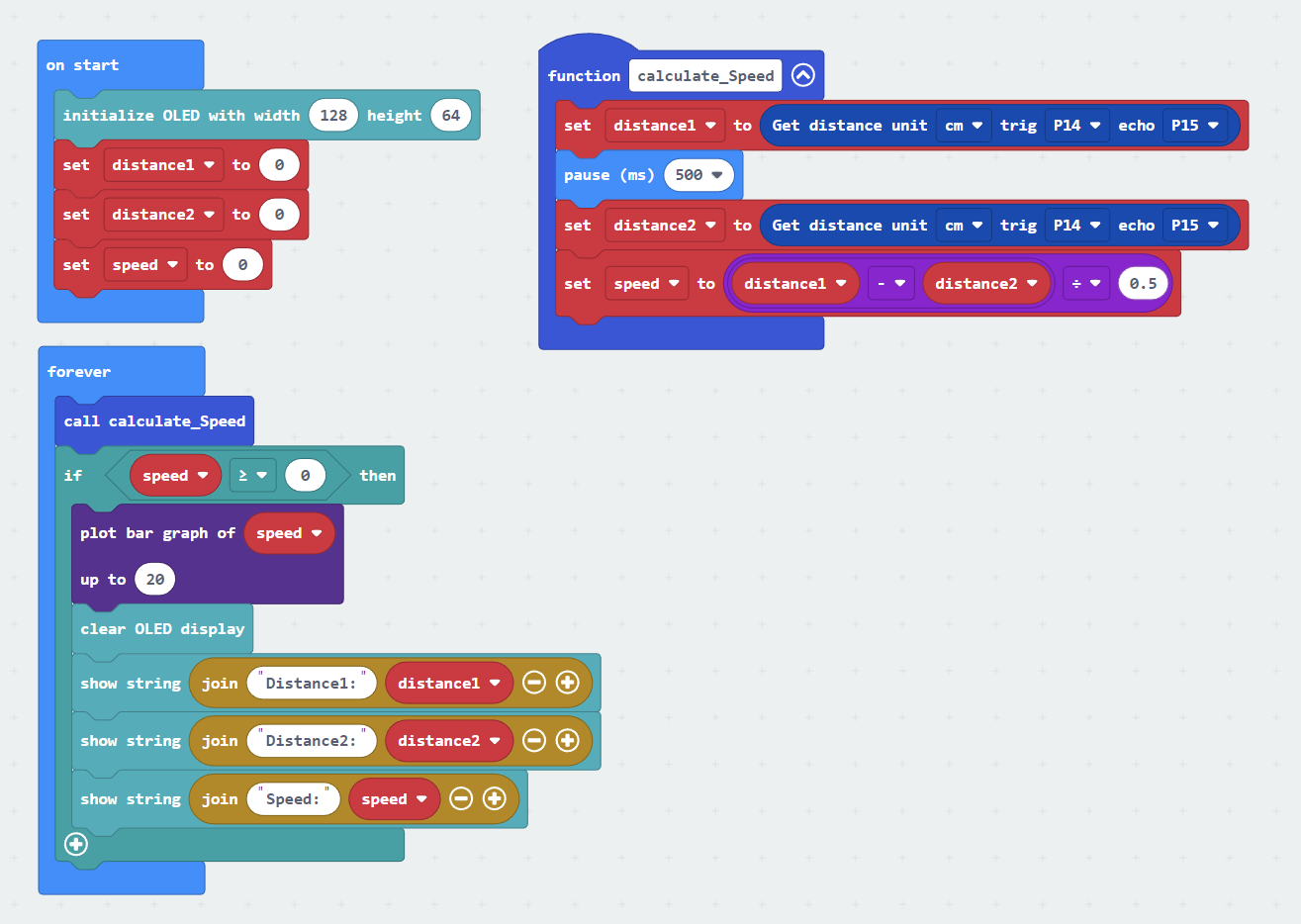
8.7. Results
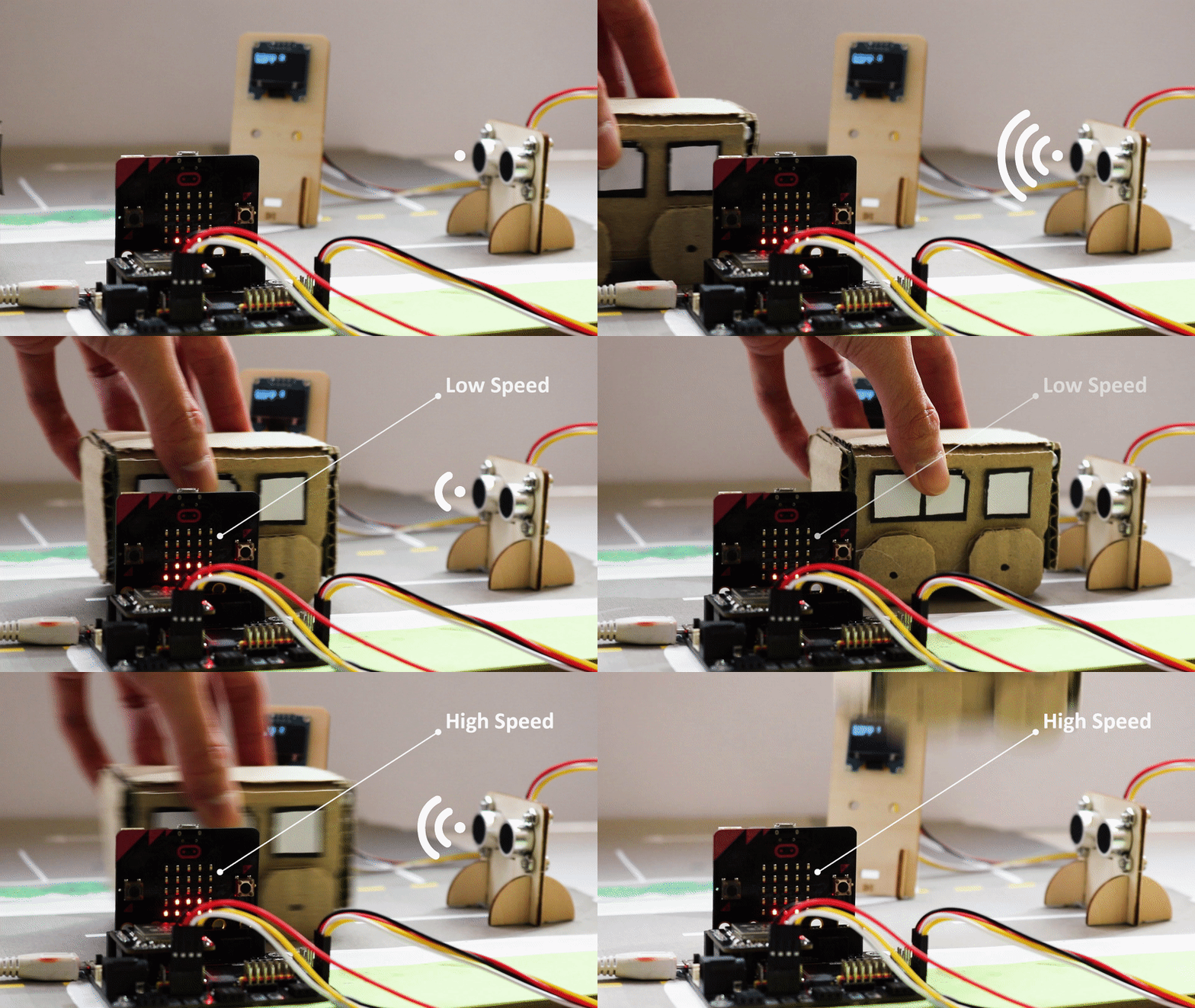
It will keep checking the distance of cars from distance sensor by distance sensor in every 500ms. The speed of the cars will be shown on OLED. A bar chart of speed will be shown on micro:bit LED also.