14. IoT Case 11: Roof garden clothes rack
Level: 
14.1. Goal
Make a smart roof garden clothes rack, once the weather condition is changed, the rack can be opened/ closed automatically.
14.2. Background
What is Roof garden clothes rack?
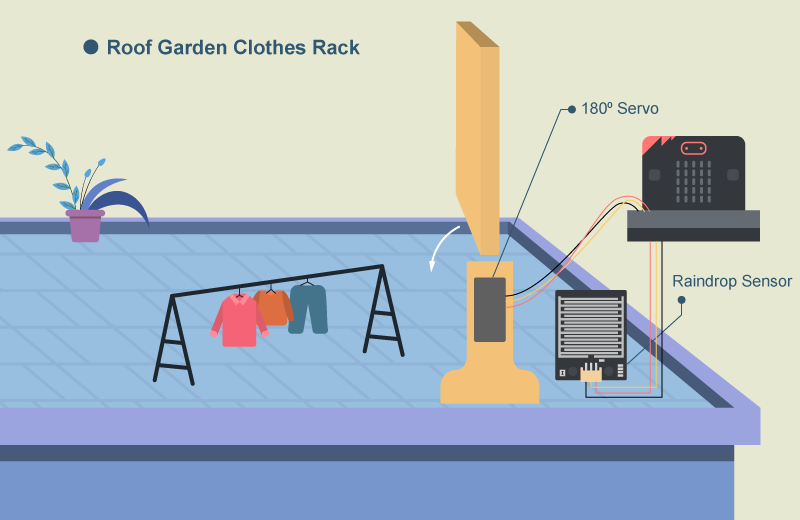
People no long need to rush up to the roof when raining as the clothes rack can be closed automatically even when house owner is not at home.
Roof garden clothes rack operation
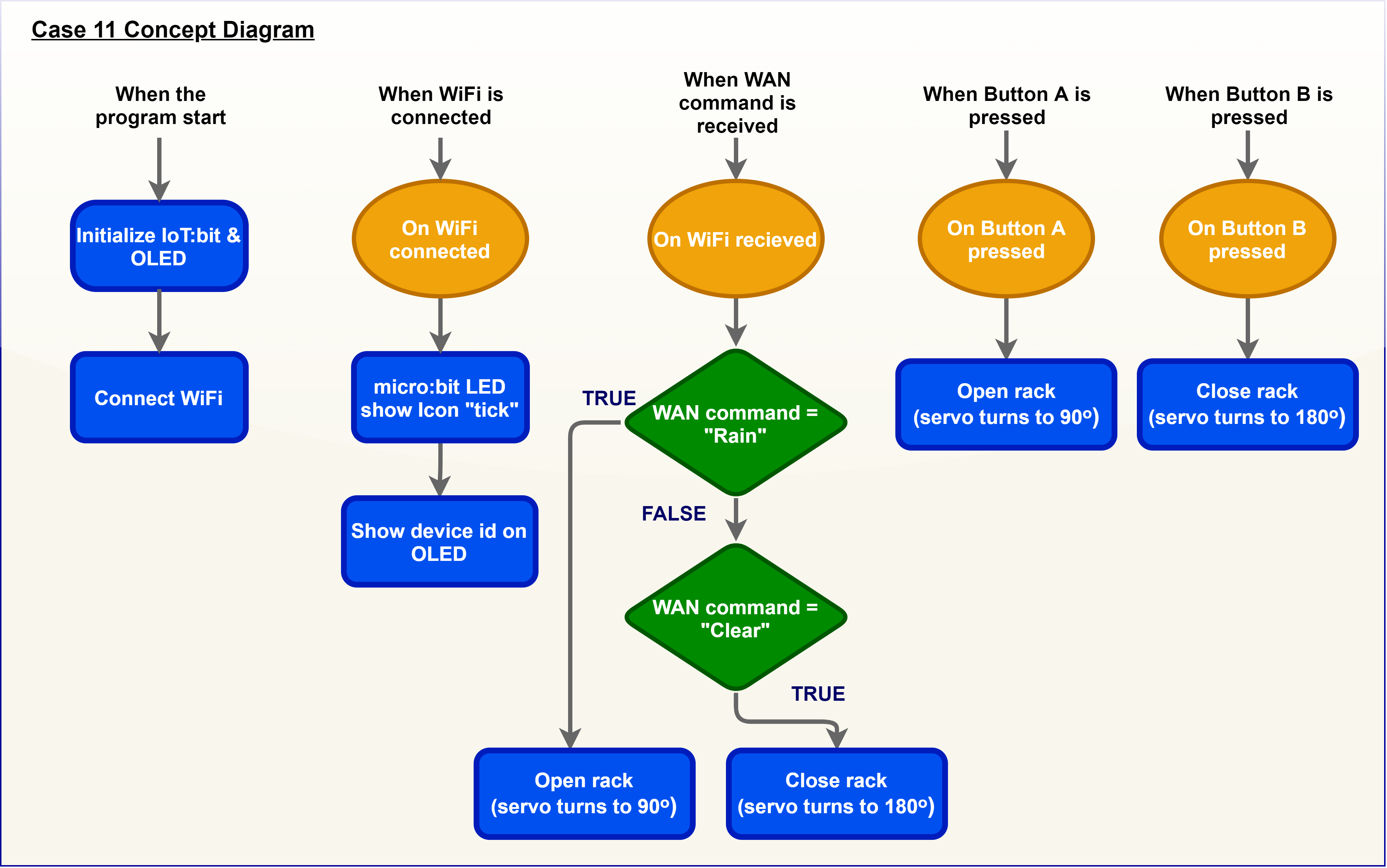
Micro:bit can receive WAN commands from WAN (eg. IFTTT), the the micro:bit will get the command name. If the command name is “Rain”, the servo will turn to 90ᵒ and the rack will be opened. If the command name is “Clear”, the servo will turn to 180ᵒ and the rack will be closed.
14.4. Assembly step
Step 1
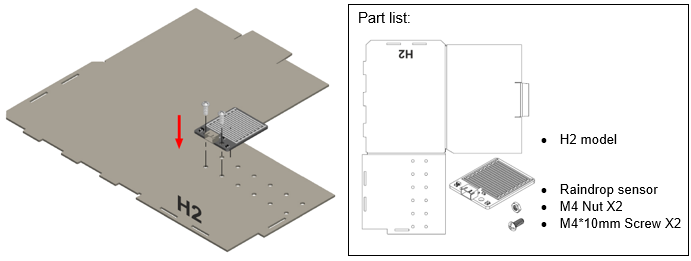
Step 1. Attach the raindrop sensor to the model H2
Step 2
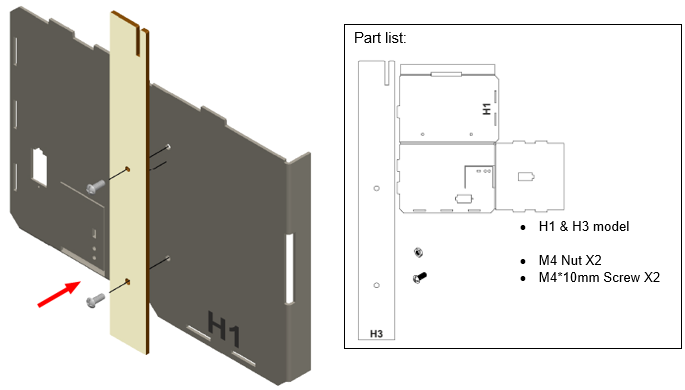
Step 2. Attach the long stand (H3) to the model H1
Step 3
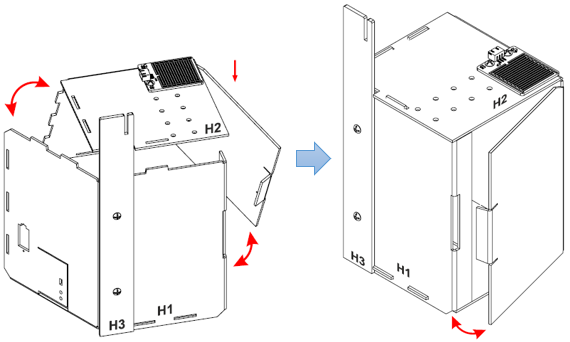
Step 3. Put together all the cardboard parts.
Step 4
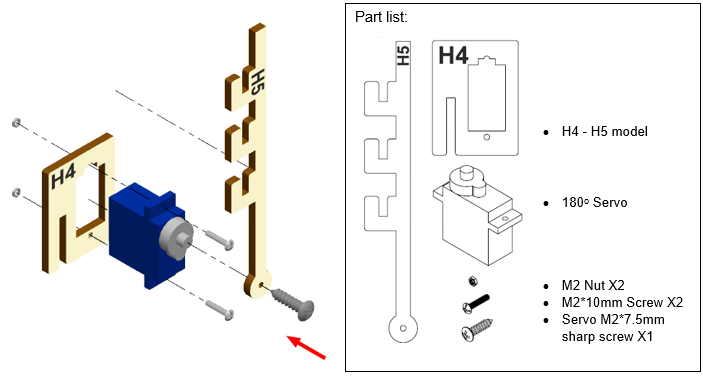
Step 4. Screw the cloth rack (H5) onto the 180ᵒ servo using M2 screws
Step 5
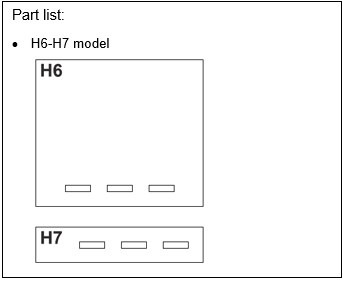
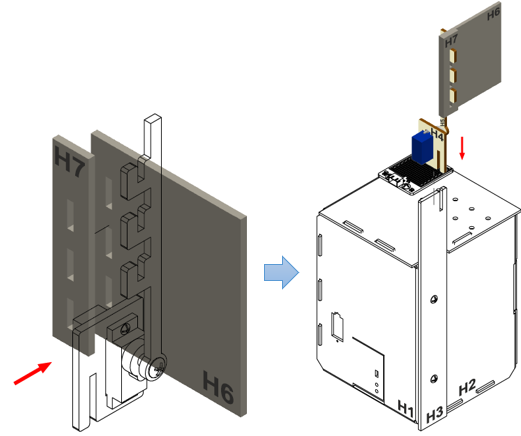
Step 5. Put together the models H4-H5 and H6-H7.
Step 6
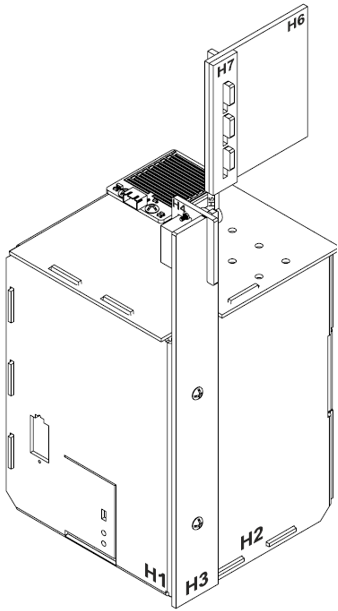
Step 6. Assembly completed!
14.5. Hardware connect
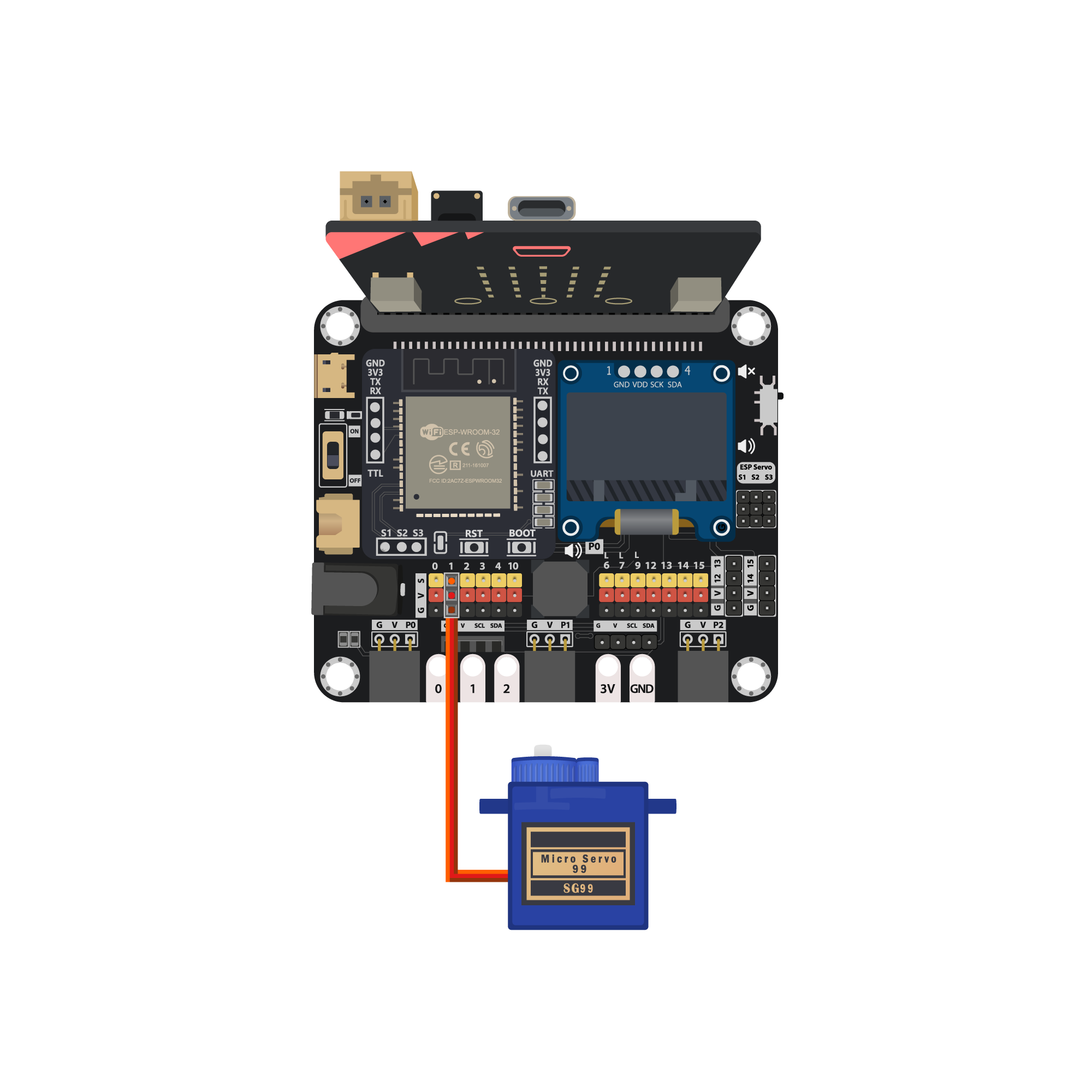
Connect the 180ᵒ Servo to P1 port of IoT:bit
| Micro:bit P1 | Servo |
|---|---|
| S (yellow) | S (orange) |
| V (red) | V (red) |
| G (black) | G (brown) |
14.6. Programming (MakeCode)
Step 1. Initialize OLED, IoT:bit and connect to WiFi
Snap
Initialize OLED with width:128, height: 64toon startSnap
Initialize IoT:bit TX P16 RX P8fromIoT:bittoon startSnap
Set Wi-Fi to ssid pwdfromIoT:bitEnter your Wi-Fi name and password. Here we set
smarthonasSSIDand12345678aspassword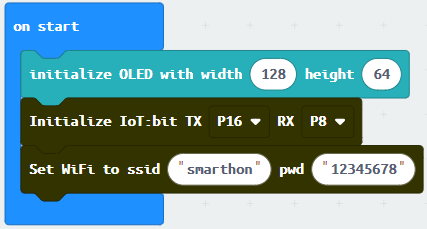
Step 2. Show icon “tick” after WiFi connection
Snap
show iconfrombasictoOn WiFi connectedand select icontickDraw the
Device IDvariable fromOn WiFi connectedto theshow stringblock placeholder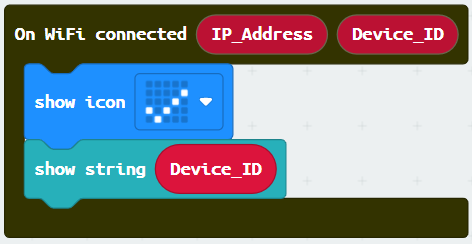
Step 3. Receive WAN command
Go to OLED
Snap the
clear OLED displaytoOn WiFi receivedto avoid overlapSnap the
show stringtoOn WiFi receivedDraw the
WAN_Commandvariable to show string placeholder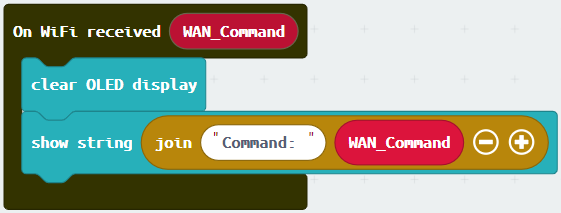
Step 4. Control rack open/close by WAN command
Snap
if-conditionSet variable
WAN_Command=Rainintoif-conditionSnap
Turn Servo to … degreefromSmartCity>OutputSet Servo degree to 90 at P1(control the servo to open the rack)Set variable
WAN_Command=Clearintoelse-if-conditionSnap
Turn Servo to … degreefromSmartCity>OutputSet Servo degree to 180 at P1(control the servo to close the rack)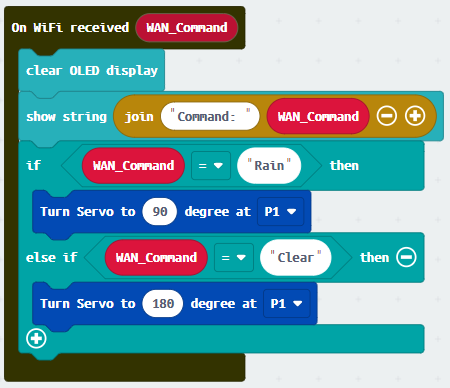
Step 5. Press A to open clothes rack
Snap
on button … pressedfromInput, set buttonASnap
Turn Servo to…fromSmartCity>OutputSet servo to 90 degree at P1(open clothes rack)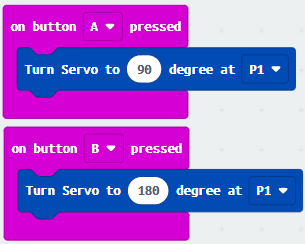
Step 6. Press B to close clothes rack
Snap
on button … pressedfromInput, set buttonBSnap
Turn Servo to…fromSmartCity>OutputSet servo to 180 degree at P1(close clothes rack)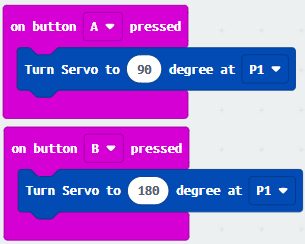
Full Solution
MakeCode: https://makecode.microbit.org/S49871-00186-31504-63747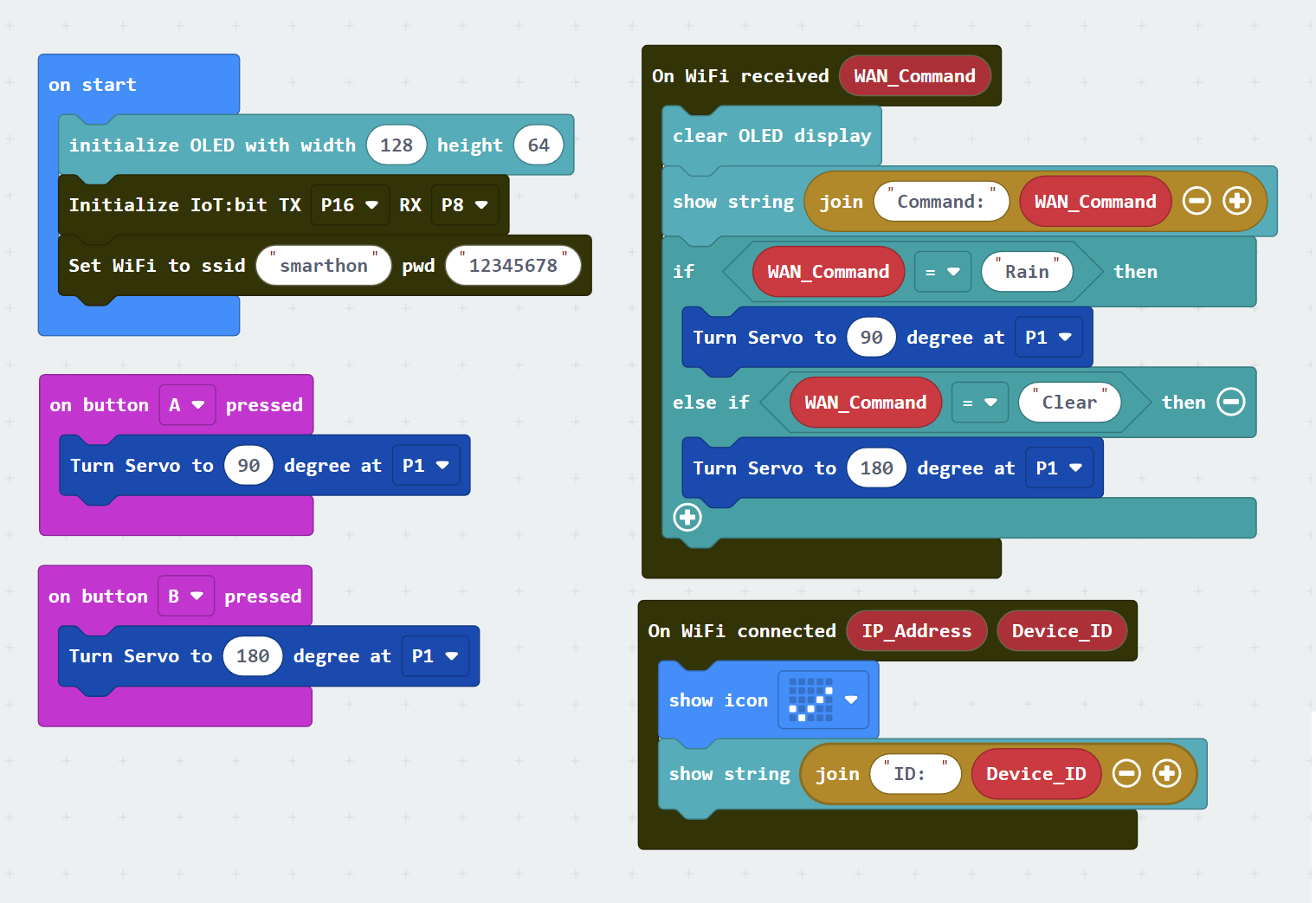
14.7. IoT (IFTTT)
* For the setting of IFTTT, please refer to “Chapter 4: Cloud Control micro:bit by IFTTT”
Step 1. Create applet in IFTTT
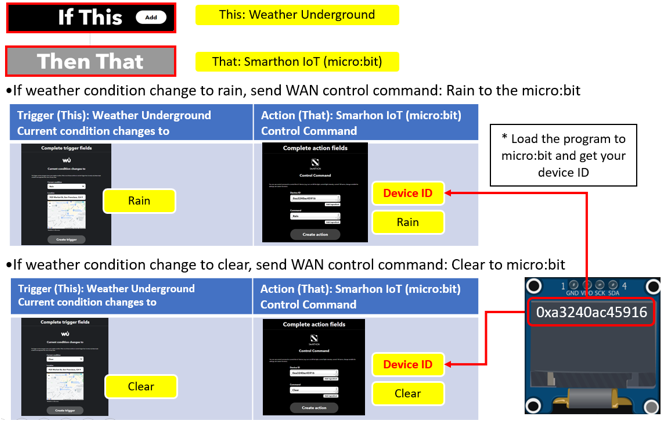
14.8. Result
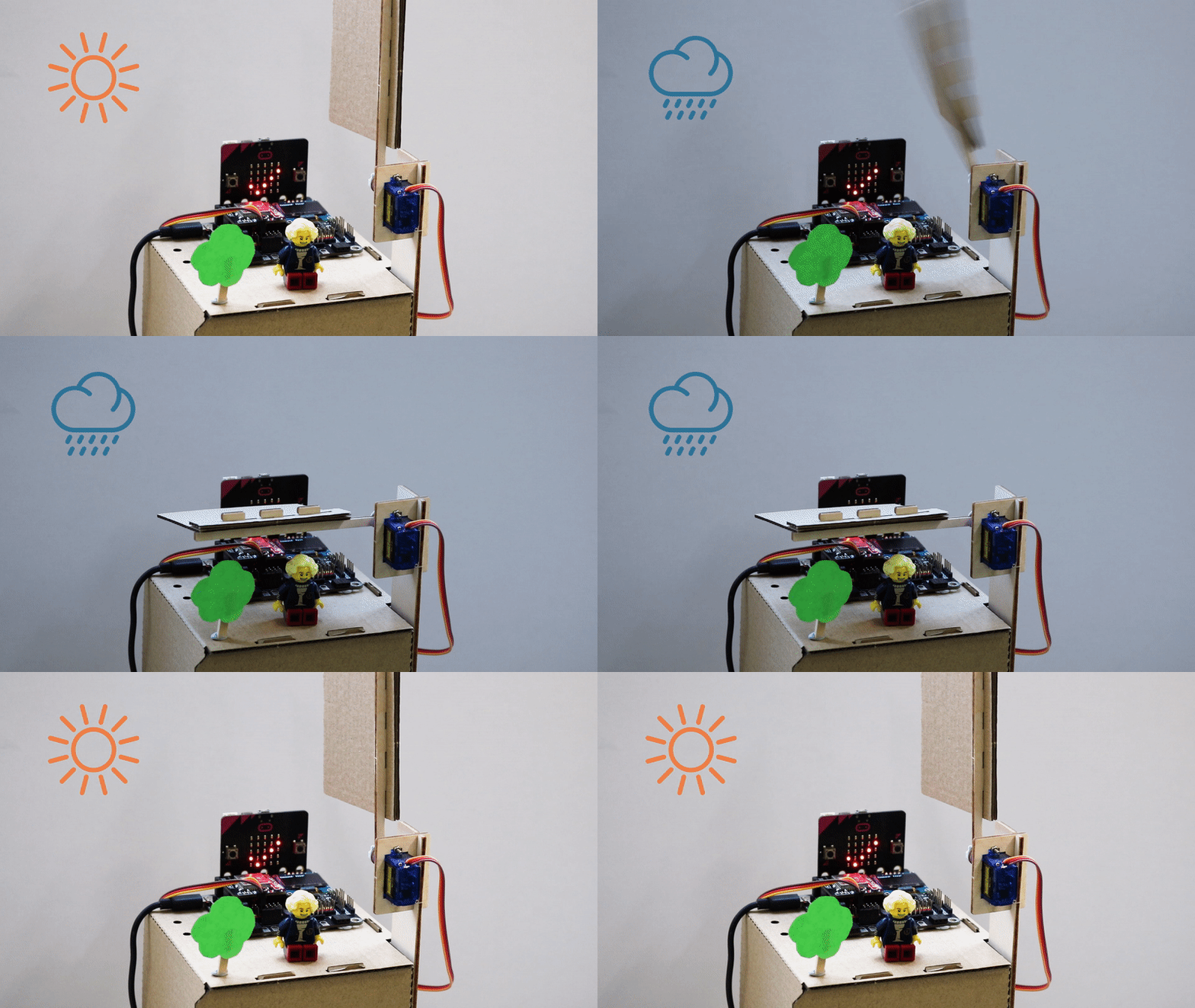
The micro:bit is controlled by IFTTT (trigger by weather open data). When the weather condition change to “Rain”, the cloth rack will be opened. When the weather condition change to “Clear”, the cloth rack will be closed.